What Makes a Good Cross Stitch Pattern PDF
A beautiful pattern deserves a beautiful chart. Symbol clarity, page layout, thread legends, and app compatibility determine whether stitching is a joy or a struggle.
You can spend months designing a beautiful pattern, but if the PDF is hard to follow — symbols too similar, pages that don't line up, no overlap between sheets, colors that look nothing like real thread — the stitching experience suffers. A bad chart turns an enjoyable project into an exercise in frustration.
This matters whether you're creating patterns for yourself or selling them. If you sell patterns, PDF quality is the difference between five-star reviews and refund requests. If you stitch from PDFs, knowing what to look for helps you choose patterns (and tools) that won't waste your time.
Here's what separates a chart you love stitching from one that makes you want to frog the whole thing.
Symbols that don't look alike
The most common complaint about cross stitch PDFs — across forums, Reddit, and FlossTube — is symbols that are too similar to each other. A filled circle versus a slightly larger filled circle. A forward slash versus a backward slash at a slightly different angle. Two different styles of cross that are only distinguishable under a magnifying glass.
When you're stitching from a black-and-white chart (which most people do, even if a color version is available), symbol clarity is everything. Every minute spent squinting at a symbol to figure out which color it represents is a minute you're not stitching — and a minute where you might make an error.
What to look for:
- Distinct shapes. Good symbol sets use fundamentally different shapes — circles, squares, triangles, diamonds, stars, letters — not variations of the same shape at different sizes.
- Clear at print size. Symbols should be legible when printed at the chart's intended size. If you need to zoom to 200% to tell two symbols apart, the chart has a problem.
- No near-duplicates. A filled triangle and an outlined triangle are fine if they're pointing in different directions. Two filled triangles pointing the same way at slightly different sizes? That's an error waiting to happen.
- Sensible assignment. The clearest, most distinct symbols should be assigned to the most-used colors. Obscure symbols can go to colors with only a handful of stitches.
Stitchmate's PDF export uses a curated symbol library designed specifically for legibility. Symbols are selected to be visually distinct from each other and assigned by usage frequency — the most common colors get the clearest symbols.
Print sizes that work for human eyes
A cross stitch chart is typically printed on A4 or Letter paper, and each page shows a portion of the pattern. The number of stitches per page determines the symbol size — more stitches per page means smaller symbols.
Three common approaches:
- Large print (~40x40 stitches per page). Easiest on the eyes. Best for complex patterns with many colors, for stitchers with vision difficulties, and for anyone who finds themselves leaning in close. Uses more pages.
- Medium print (~60x70 stitches per page). The standard balance between readability and page count. Works for most patterns and most stitchers.
- Small print (~80x90 stitches per page). Compact, uses fewer pages, but symbols can be hard to read — especially for high-color-count patterns where symbols are complex.
If you're creating PDFs, medium is the safest default. If you're buying patterns, check the page count relative to the pattern dimensions — a 200x200 pattern that fits on four pages is going to have tiny symbols.
Page breaks that make sense
Multi-page patterns need to be assembled — either mentally (scrolling between pages on a tablet) or physically (taping printed pages together). How the pattern is divided across pages matters enormously.
Good page breaks:
- Never split a 10x10 grid block across pages. Stitchers count in blocks of 10, and breaking a block across a page boundary is confusing and error-prone.
- Include consistent overlap between pages — a few stitches from the previous page repeated (typically grayed out) so you can confirm alignment.
- Number pages clearly and show page-to-page navigation (which page is above, below, left, right).
An index sheet — a small overview showing how all the pages relate to the full pattern — is invaluable for large designs. Without it, you're guessing whether page 7 is to the right of page 6 or below page 3.
Center markers — a horizontal and vertical line marking the exact middle of the pattern — appear on the index sheet and carry through to the individual chart pages. These are essential for starting your stitching from the center, which is how most stitchers begin a project.
Color and black-and-white versions
Black-and-white symbol charts are the traditional standard. They print cheaply, photocopy well, and work regardless of your printer's color accuracy. But they rely entirely on symbol distinctness — if two symbols look similar, you have no backup information.
Color-plus-symbol charts add a tinted background behind each symbol. This gives you two pieces of information per stitch: the symbol shape AND the background color. If a symbol is ambiguous, the color confirms it. The tradeoff is that color charts require a color printer and use more ink.
The best PDFs include both versions, so you can choose based on your printing setup and personal preference.
The thread legend
The thread legend (or color key) is your reference for matching symbols to thread colors. A good legend includes:
- The symbol as it appears in the chart.
- A color swatch — either a solid block or the symbol with its color background.
- The thread code (e.g., DMC 310, Anchor 0403).
- The thread name (e.g., Black, Black Brown) — because thread codes alone don't help you visually check your stash.
- The stitch count — how many stitches of this color are in the pattern. This tells you how much thread you'll need (the thread usage calculator can help estimate amounts) and helps you prioritize which colors to stitch first.
- Skein estimates — how many skeins of each color to buy, ideally for multiple fabric counts (a 100x100 pattern uses different amounts of thread on 14-count than on 18-count).
Skein estimates are particularly valuable because they save you from either buying too many skeins (wasting money) or too few (an extra trip to the shop, and the new skein might be a slightly different dye lot).
Finished size information
A pattern is a fixed number of stitches, but its physical size depends on the fabric count. A 100x100 pattern is 18 x 18 cm on 14-count Aida, but only 14 x 14 cm on 18-count.
Good PDFs show the finished dimensions for at least the most common fabric counts (14, 16, 18-count Aida, and 28-count evenweave). This helps you plan your fabric purchase and choose a frame before you start stitching.
The fabric calculator can work this out for any dimensions, but having it directly on the pattern saves a step.
Pattern Keeper compatibility
Pattern Keeperis a mobile app that lets you view cross stitch PDFs with interactive features — symbol highlighting, progress tracking, color search, and the ability to view multi-page patterns as one continuous chart without page breaks. Over 100,000 stitchers use it, and for many, Pattern Keeper compatibility is a requirement when buying patterns.
But not all PDFs work with Pattern Keeper. The app parses the PDF's internal structure to extract the grid, symbols, and thread information. If the PDF isn't formatted correctly, Pattern Keeper can't read it — and the stitcher sees broken symbols, missing sections, or garbled colors.
What makes a PDF work with Pattern Keeper
Embedded fonts. The symbol font must be fully embedded in the PDF file — not referenced externally, not subset in a way that loses character mapping data. If the symbols are rendered as images rather than font characters, Pattern Keeper can't select or highlight individual symbols.
This is where many older tools fail. PCStitch's "PCStitch Symbols 3" font is notorious for causing Pattern Keeper issues because it's not always embedded correctly. Forum threads are full of stitchers reporting half their chart was missing after loading a PCStitch PDF into Pattern Keeper.
Clean grid structure. The grid must be parseable as structured data — lines and text characters with consistent spacing — not rasterized as a flat image. If the pattern pages are essentially screenshots pasted into a PDF, Pattern Keeper has nothing to parse.
Consistent page breaks. Multi-page patterns need predictable page boundaries that Pattern Keeper can stitch together into a continuous view. Inconsistent margins, varying grid positions between pages, or pages that don't align properly will produce gaps or overlaps in Pattern Keeper's assembled view.
Standard symbol encoding. Symbols must map to expected character codes. Custom fonts that use non-standard Unicode positions can confuse Pattern Keeper's symbol detection.
Correct thread information. The thread legend needs to be in a format Pattern Keeper can parse — typically text-based with recognizable thread brand codes and stitch counts. Image-based legends (screenshots of a table pasted into the PDF) don't work.
How Stitchmate handles this
Stitchmate's PDF export produces Pattern Keeper-compatible files by default. The technical approach:
- Font-based symbol rendering. Symbols are converted from SVG definitions into a custom TrueType font, which is fully embedded in the PDF. Each symbol is a font character — selectable, searchable, and parseable by Pattern Keeper.
- Batched drawing by color. Symbols are grouped by color in the PDF's internal structure, which produces the grouped operations Pattern Keeper expects.
- Vector rendering throughout. The entire chart is vector-based — lines, text, and symbols are all drawn as scalable vectors, not rasterized images. This means the PDF is crisp at any zoom level and fully parseable.
- Compact file sizes. The font-based approach reduces file size by roughly 10-20x compared to embedding individual SVG paths for each symbol. A pattern with 10,000 symbols might use 60-220 KB for all symbol data, versus 2-5 MB with a naive approach. Smaller files load faster in Pattern Keeper and print faster.
No font workarounds. No third-party PDF printers. No "export and pray." Export once, open in Pattern Keeper, and it works.
One important note: even with compatible exports, always test your pattern in Pattern Keeper before selling it. Every pattern is different, and a quick test catches any edge cases before your customers do.
If you're using other software
If you're exporting from PCStitch, WinStitch, or another tool, Pattern Keeper's site has specific guides for each. The general advice:
- Use TTF fonts, not bitmap or custom symbol sets.
- Test by opening the PDF in a standard PDF reader and trying to select individual symbols as text. If you can select them, Pattern Keeper probably can too. If they're not selectable, the symbols are likely rasterized.
- Keep stitches per page under 100 (60-70 is ideal).
- Use A4 or Letter size, not landscape.
- Don't include grid preview images on chart pages — Pattern Keeper may confuse them with the actual chart.
What Thread-Bare gets right
Thread-Bare's article on clear patternsmakes several excellent points that align with our thinking: never split 10x10 blocks across pages, include page-to-page navigation pointers, provide grayed-out overlap stitches for alignment, and offer multiple print sizes at no extra charge. Their attention to symbol selection — rejecting symbols that look too similar, avoiding triangles in confusable orientations — reflects real stitching experience.
Their core philosophy is right: the pattern is the map, not the destination. A good map doesn't just show the route; it makes the journey easier. Every design decision in a PDF — symbol choice, page layout, legend format, print size options — either helps or hinders the stitching experience.
A checklist for pattern PDF quality
Whether you're evaluating a pattern to buy or a PDF you've created to sell, check these:
Symbols
- Are all symbols visually distinct from each other at print size?
- Are the most common colors assigned the clearest symbols?
- Can you tell every symbol apart without zooming in?
Pages
- Do page breaks avoid splitting 10x10 blocks?
- Is there overlap between adjacent pages?
- Do pages have navigation (page numbers, pointers to adjacent pages)?
- Is there an index sheet showing the page layout?
Thread information
- Does the legend include thread codes, names, color swatches, and stitch counts?
- Are skein estimates provided for at least two fabric counts?
- Is finished size shown for multiple fabric counts?
Pattern Keeper
- Can you select individual symbols as text in a PDF reader?
- Does the pattern load correctly in Pattern Keeper?
- Do multi-page charts stitch together seamlessly?
Usability
- Are both black-and-white and color versions included?
- Are center markers clearly visible on chart pages?
- Is the legend easy to find and reference while stitching?
FAQ
Why do some pattern PDFs look blurry when I zoom in?
Should I print cross stitch charts in color or black and white?
How many symbols can a chart support before they start looking too similar?
Can I use any PDF I buy with Pattern Keeper?
How do I test my pattern PDF before selling?
What is the best stitches-per-page size for a cross stitch PDF?
Export a Professional PDF
Design your pattern and export a print-ready, Pattern Keeper-compatible PDF with clear symbols and smart page layout.
Open Pattern MakerFree to use. No account required.
Related Guides & Tools

How to Convert a Photo to a Cross Stitch Pattern
Step-by-step guide to creating a pattern — then export it as a professional PDF.
How Many Colors Should a Pattern Have?
Why 15-30 colors is usually the sweet spot — and how too many colors create symbol conflicts in PDFs.

What Is Aida Count?
How fabric count affects finished size — the foundation for the finished-size tables in your PDF.
Cross Stitch Pattern Software Compared
How Stitchmate, PCStitch, WinStitch, and others compare on PDF export quality and features.
Cross Stitch Thread Types
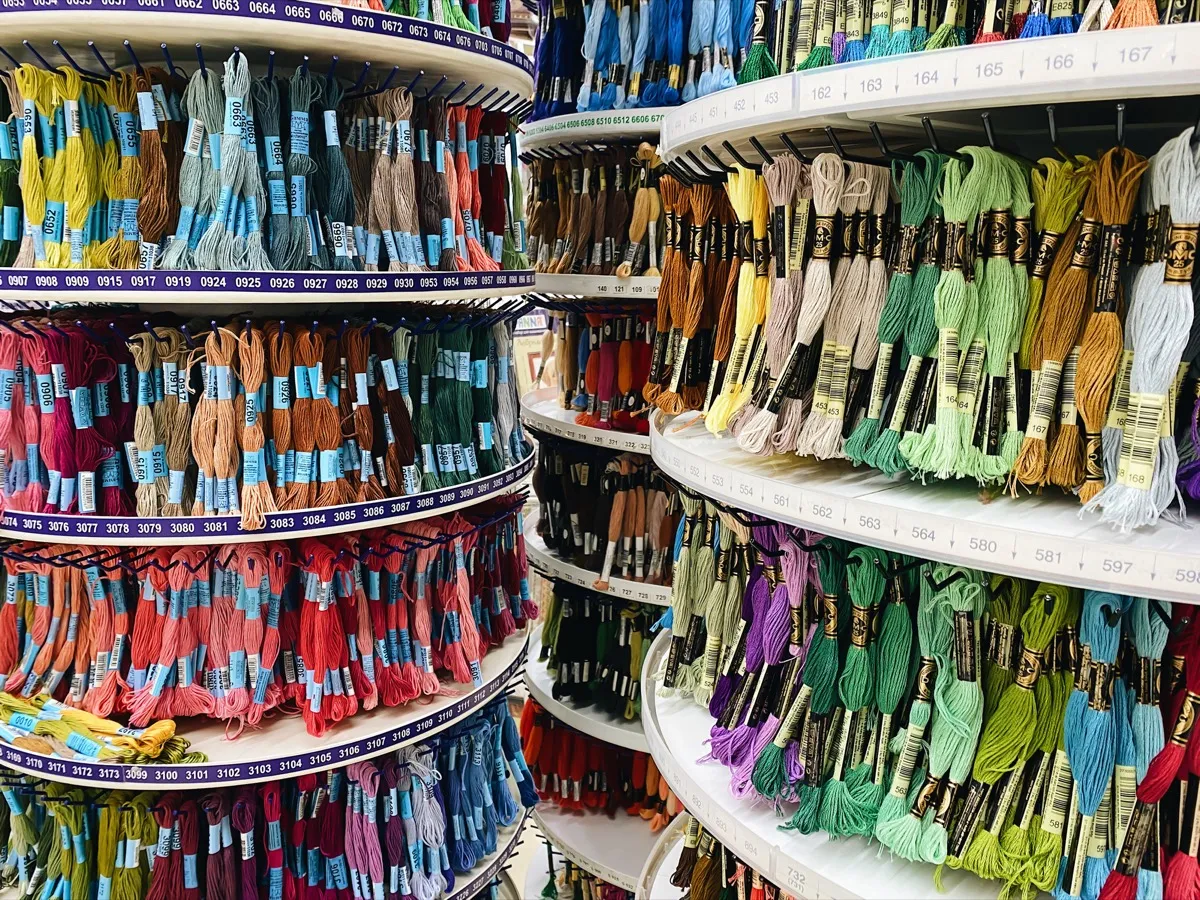
DMC, Anchor, Cosmo, and more — the thread brands your PDF legend needs to support.

Fabric Calculator
Calculate finished size for any pattern dimensions and fabric count.