StitchFiddle vs Stitchmate
Less confetti. Less counting.
Cleaner charts. More control.
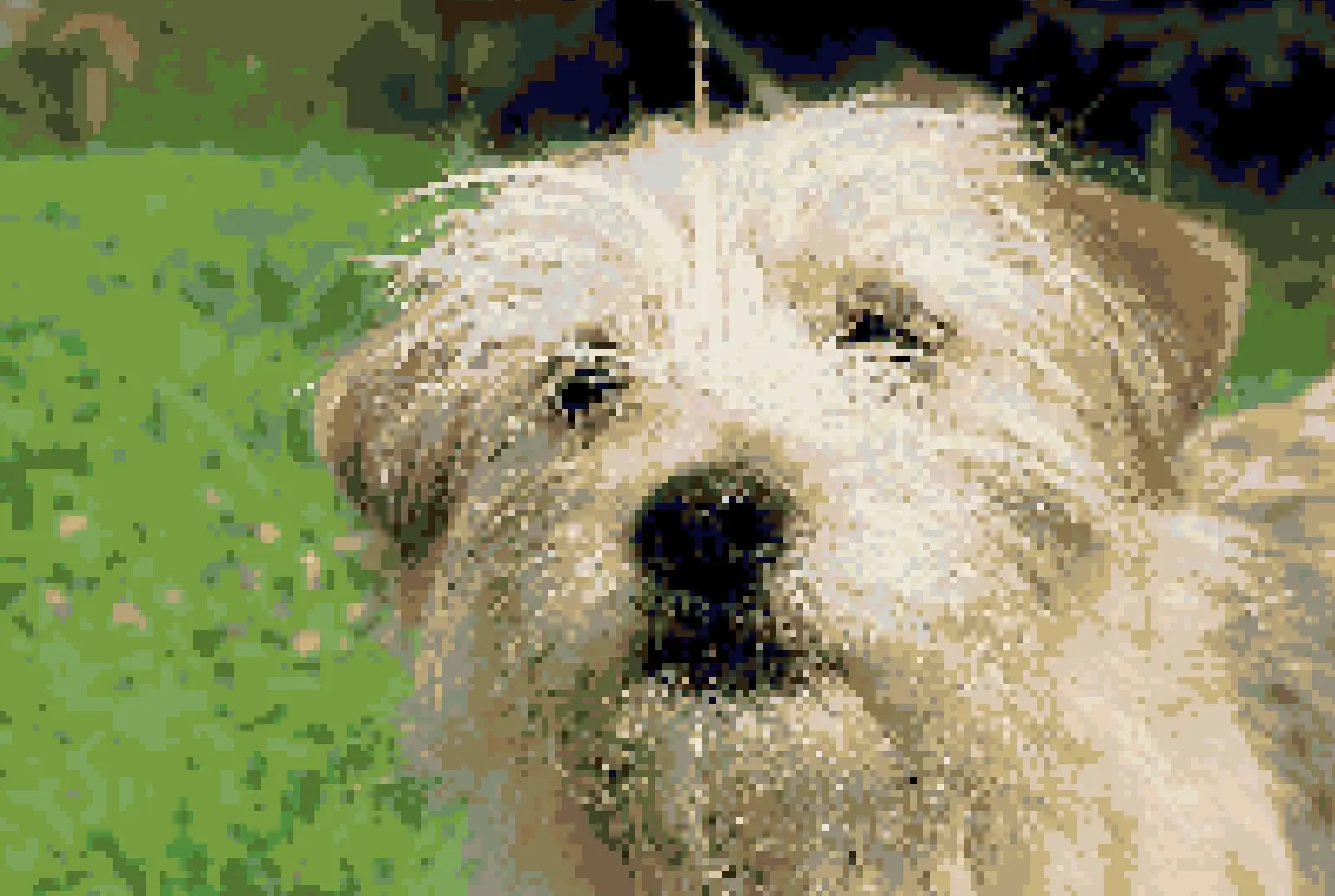
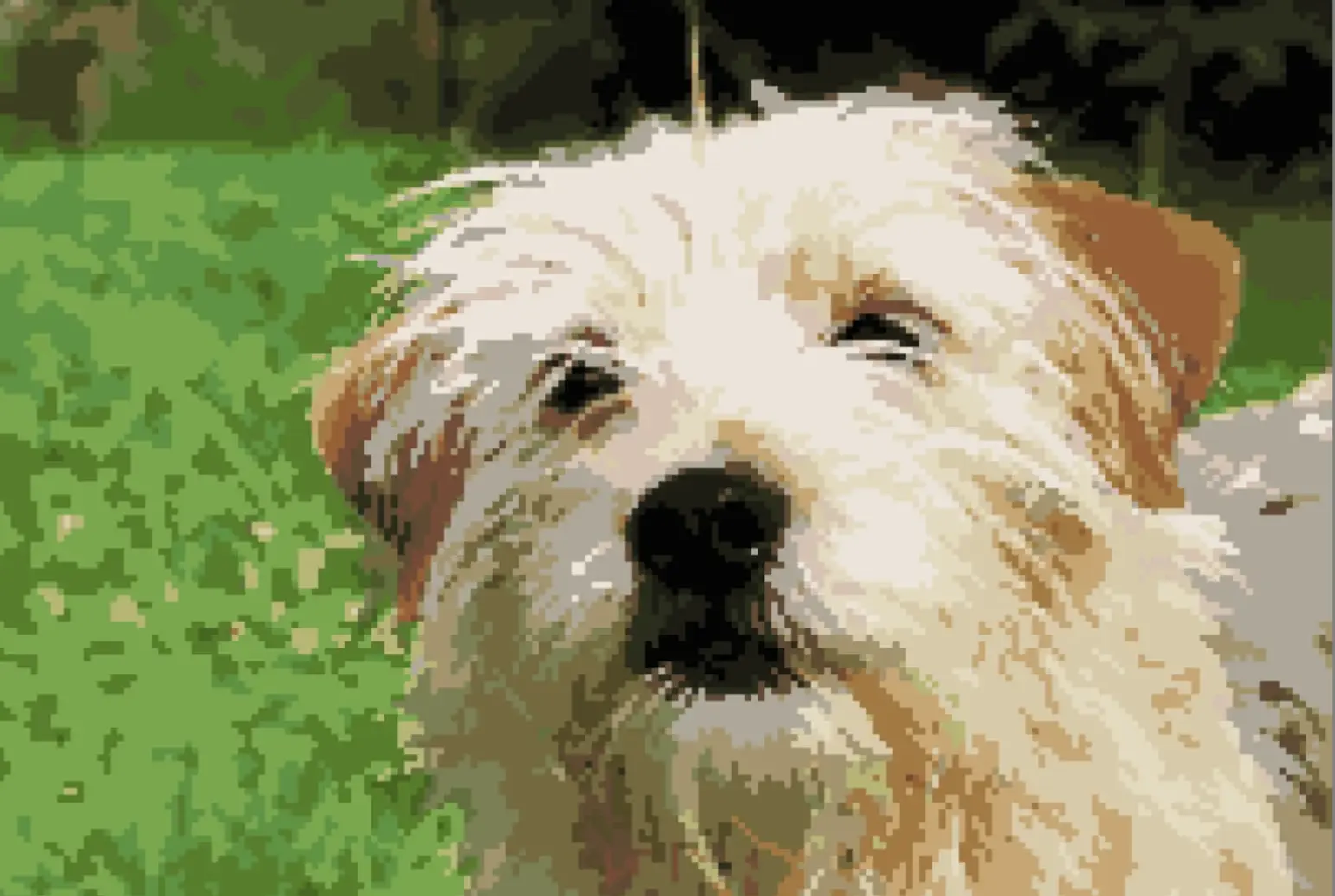
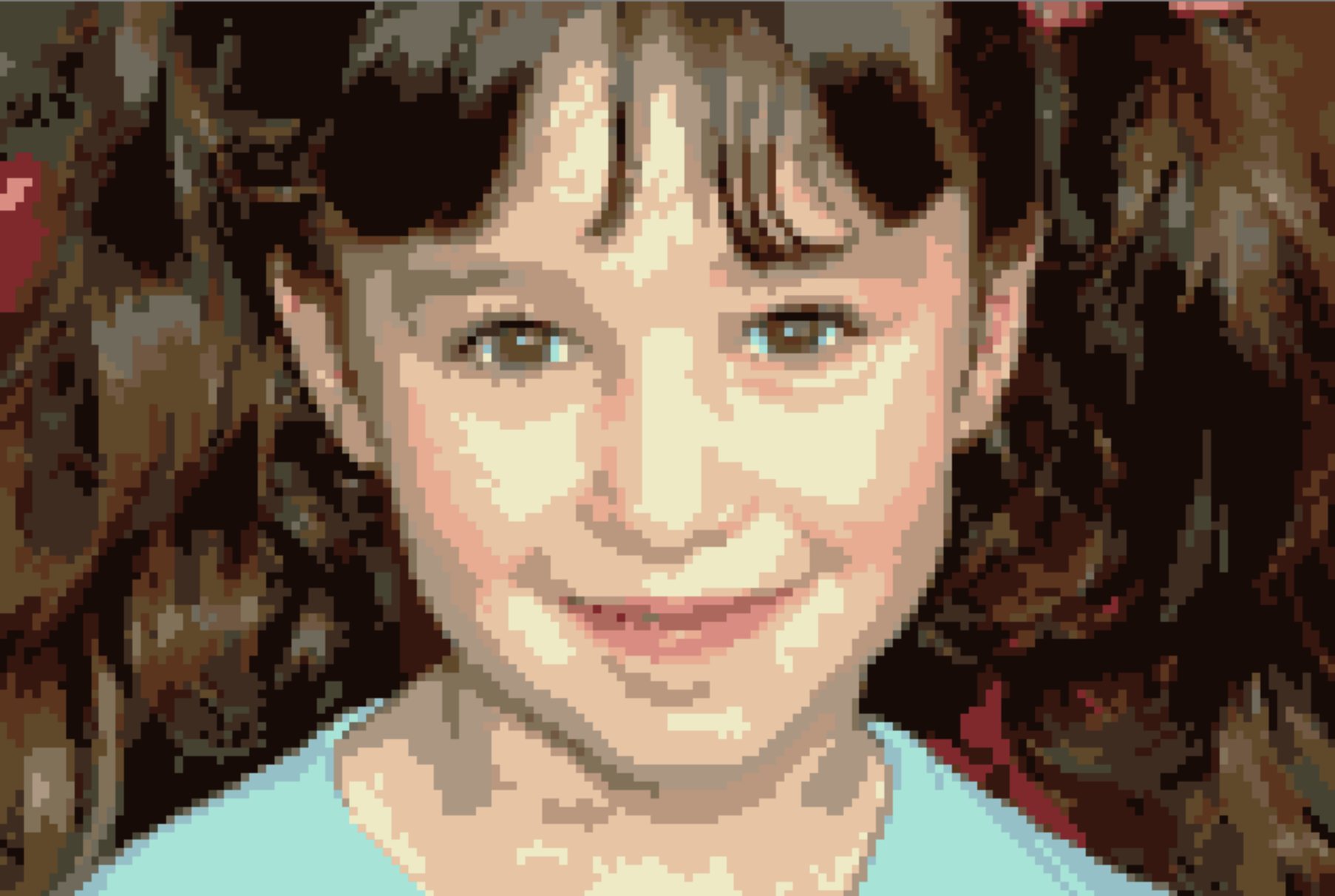
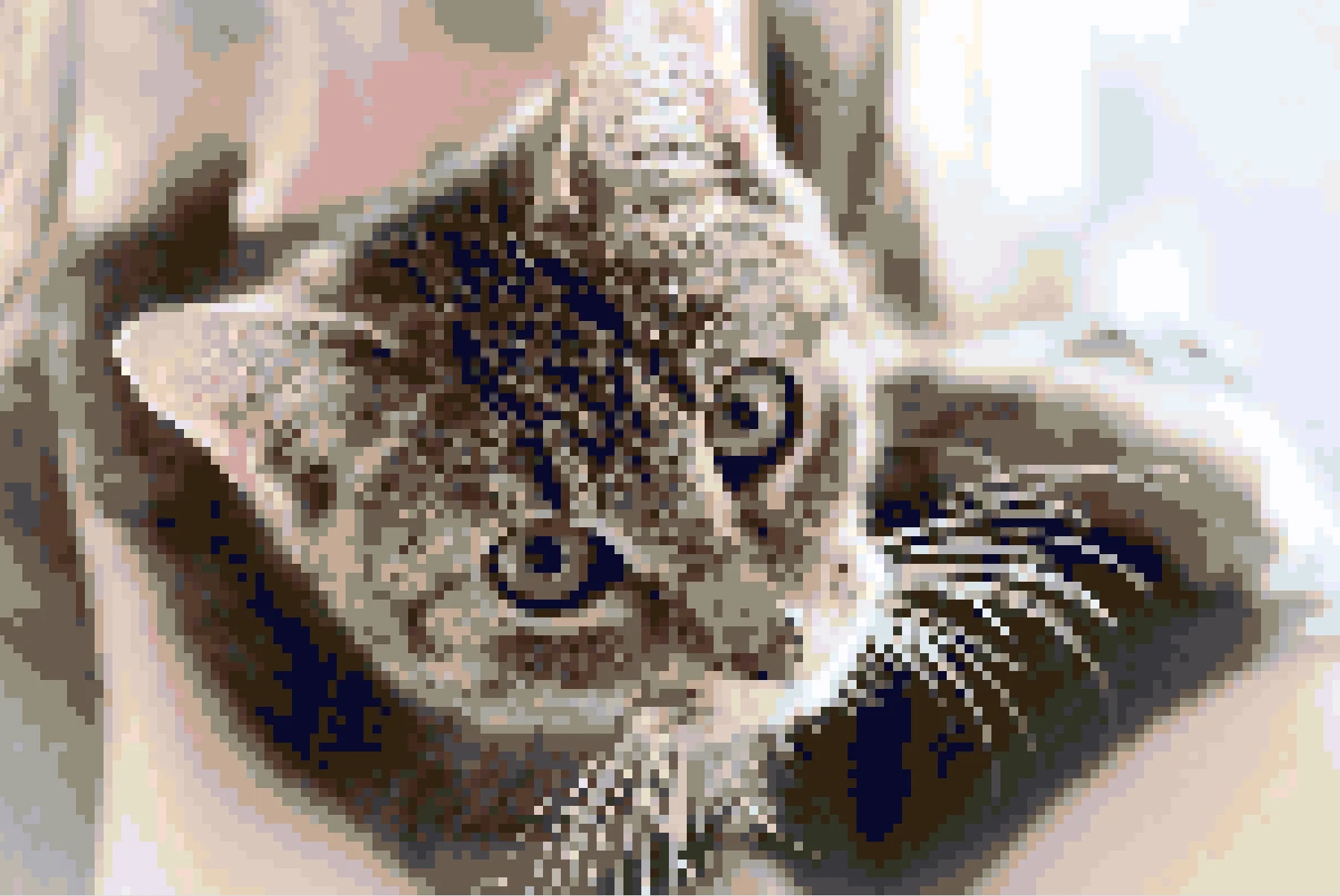
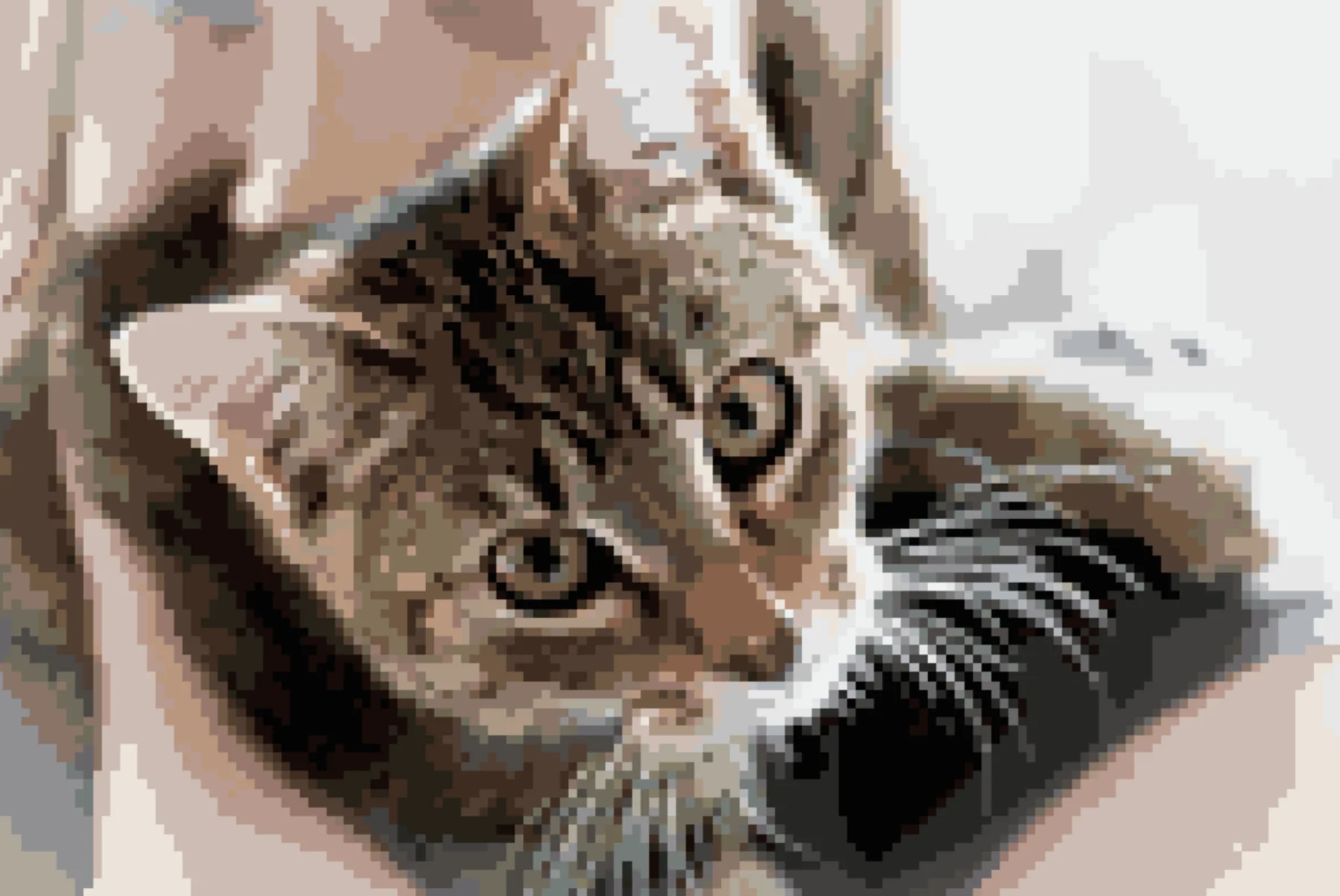
Same photo, same settings: 1705 vs 350 isolated stitches.
The short version
If you're deciding between Stitch Fiddle (often searched as "Stitchfield") and Stitchmate in 30 seconds, decide based on workflow.
Choose StitchFiddle if you...
- Want one tool across multiple crafts (cross-stitch + knitting + crochet)
- Chart knitting or crochet with stitch symbols, not just color grids
- Mostly stitch full-stitch charts and don't do much editing
Choose Stitchmate if you...
- Care about stitchability: fewer specks, calmer regions, less counting fatigue
- Need French knots, blended threads, layers, or 50+ thread brands
- Want to import .PAT and .XSD patterns (StitchFiddle only supports .OXS)
- Want Pattern Keeper-compatible PDF export
- Want a full editor in the free tier (selection, transform, confetti cleanup)
StitchFiddle covers more crafts — knitting and crochet with stitch symbols. Stitchmate wins on conversion quality, editing depth, export workflow, and a free progress tracker that syncs across devices and tracks backstitch.
What "cleaner chart" actually means in real life
More confetti usually means:
- More thread changes
- More parking / more starts and stops
- More "where am I?" moments
- A noisier finish — especially in hair, fur, and busy backgrounds
This is why we measure it. Not to win an argument — to predict how the project will feel on day 4 when your eyes are tired.
Test setup: 160×107, 20 DMC colors, defaults, no cleanup. Confetti measured by ConfettiScope on the generated chart. Results vary by image — the pattern (less confetti = easier stitching) is consistent.
Proof, not vibes: the side-by-side conversions
Click an image to zoom in
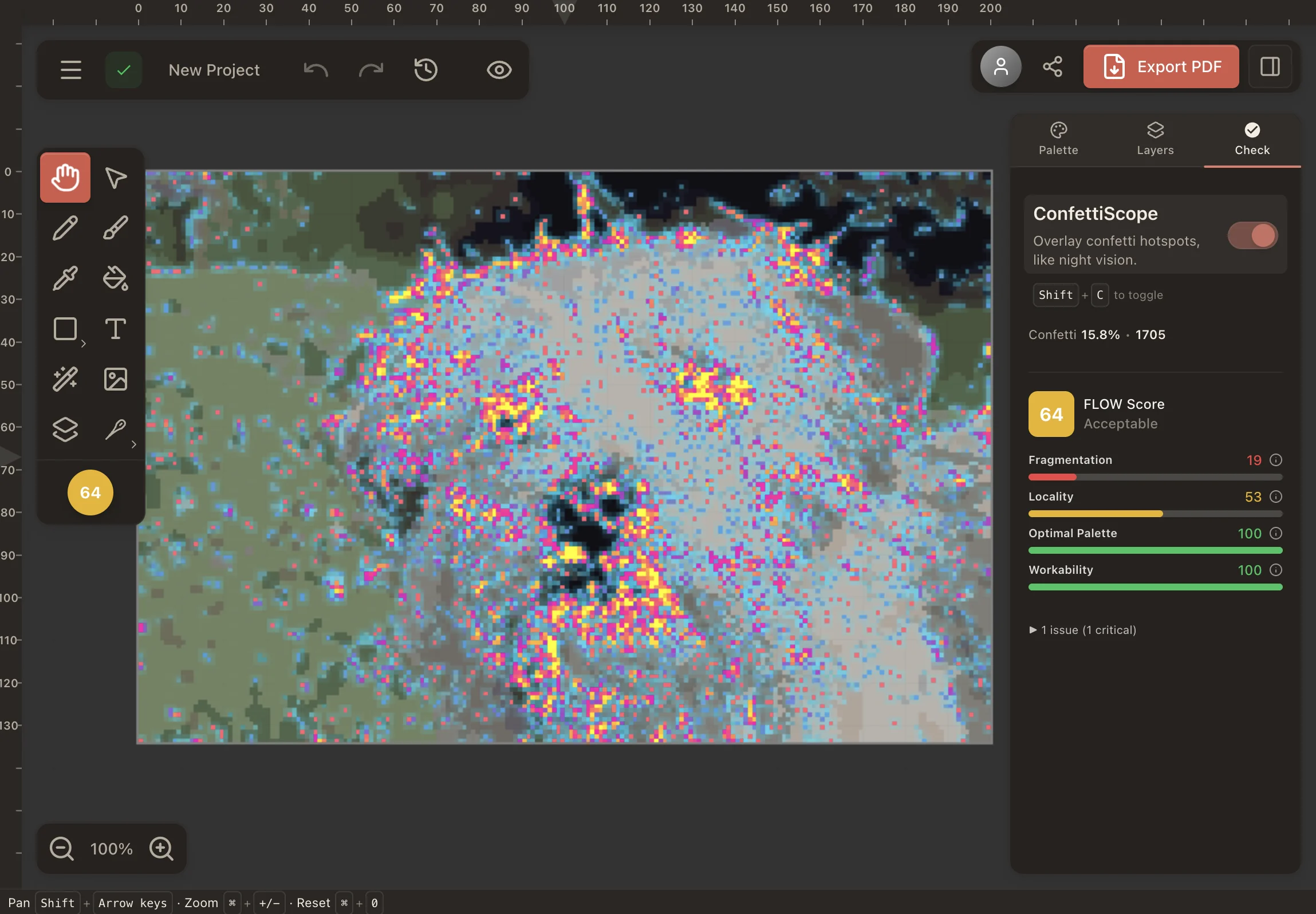
StitchFiddle — ConfettiScope overlay (1,705 confetti). Speckling everywhere, especially in the fur and background.
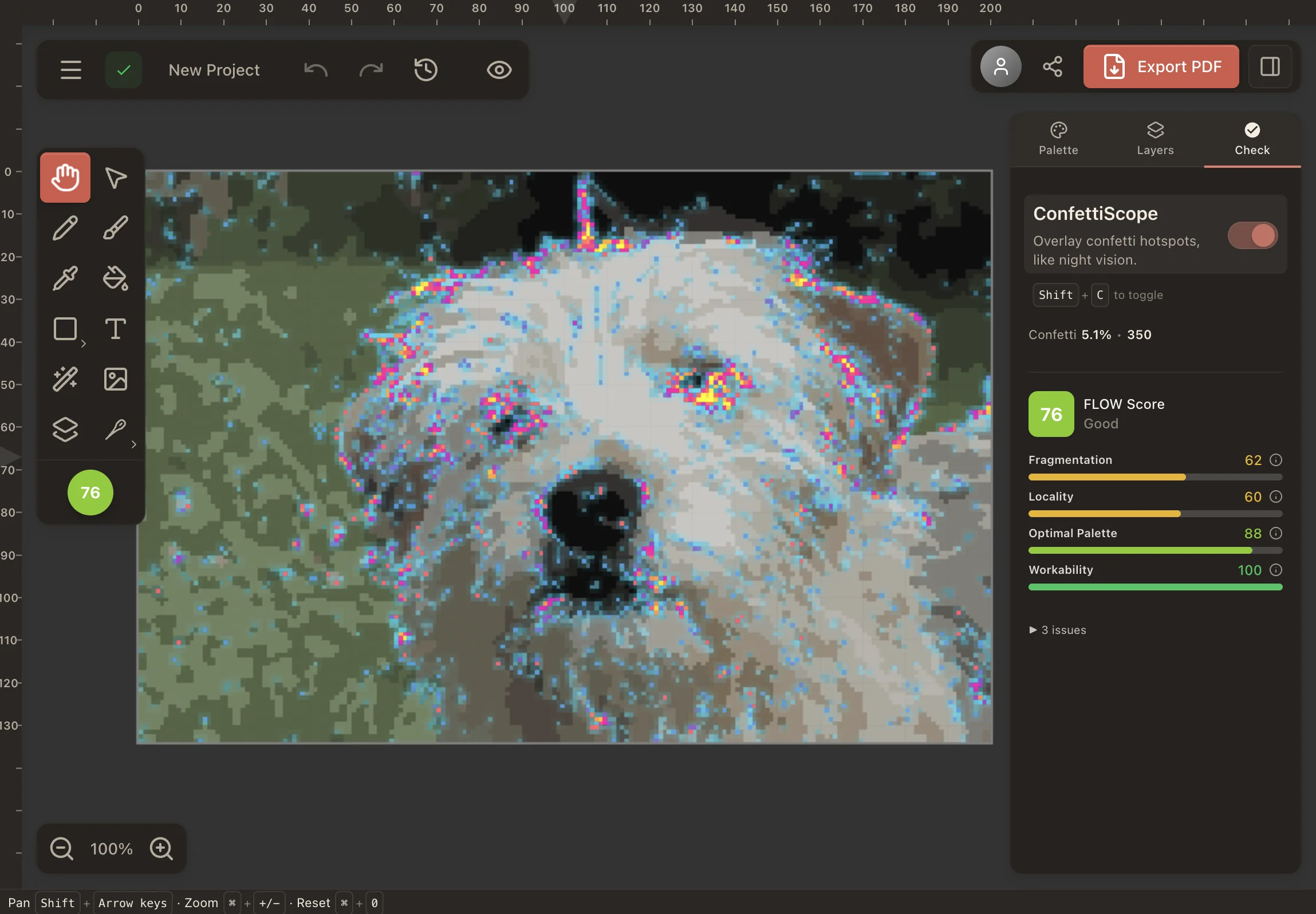
Stitchmate — ConfettiScope overlay (350 confetti). Dramatically fewer isolated stitches — fur stays smooth, background stays clean.
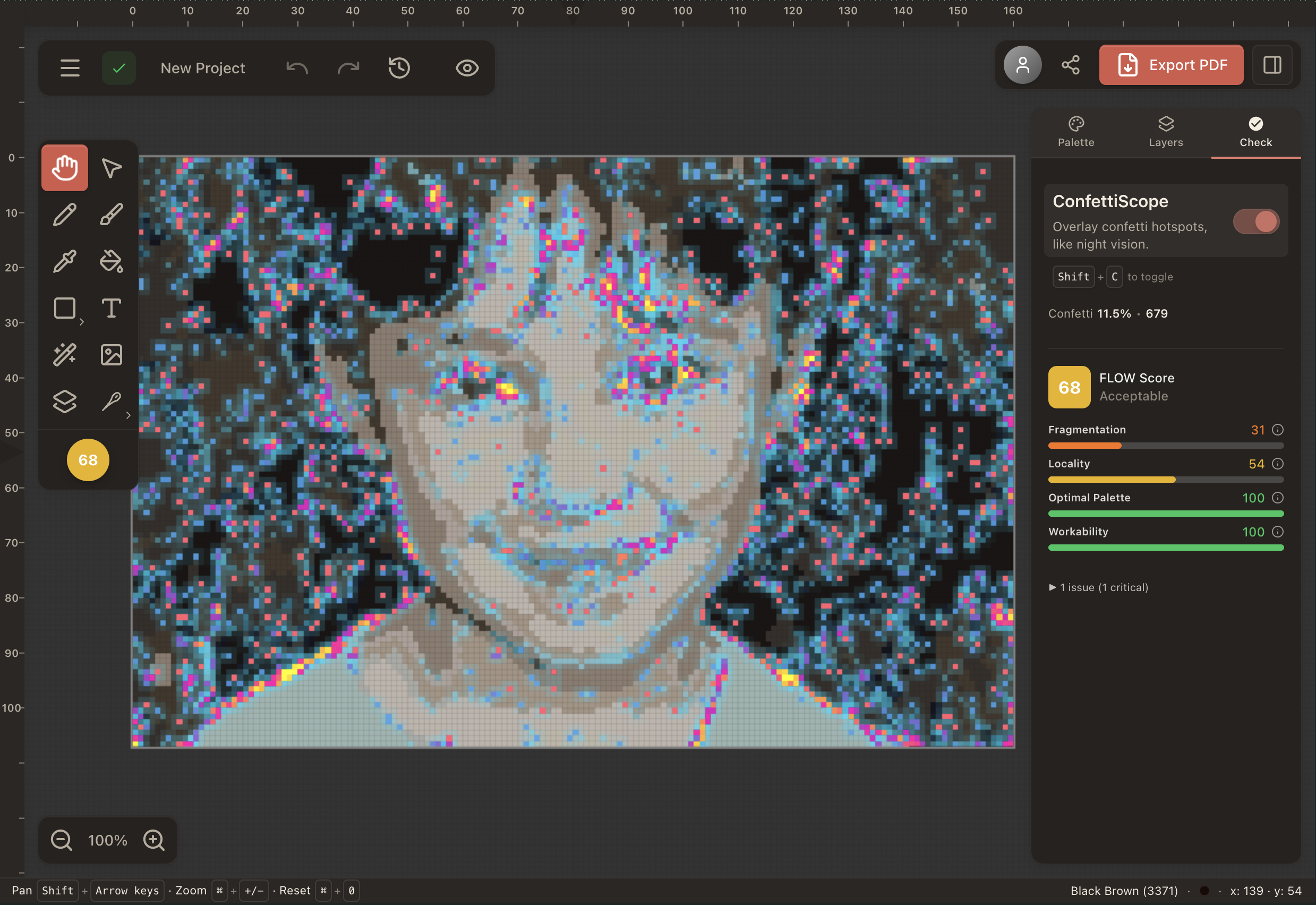
StitchFiddle — ConfettiScope overlay (679 confetti). Lots of them are in the background, where having less detail is generally preferred.
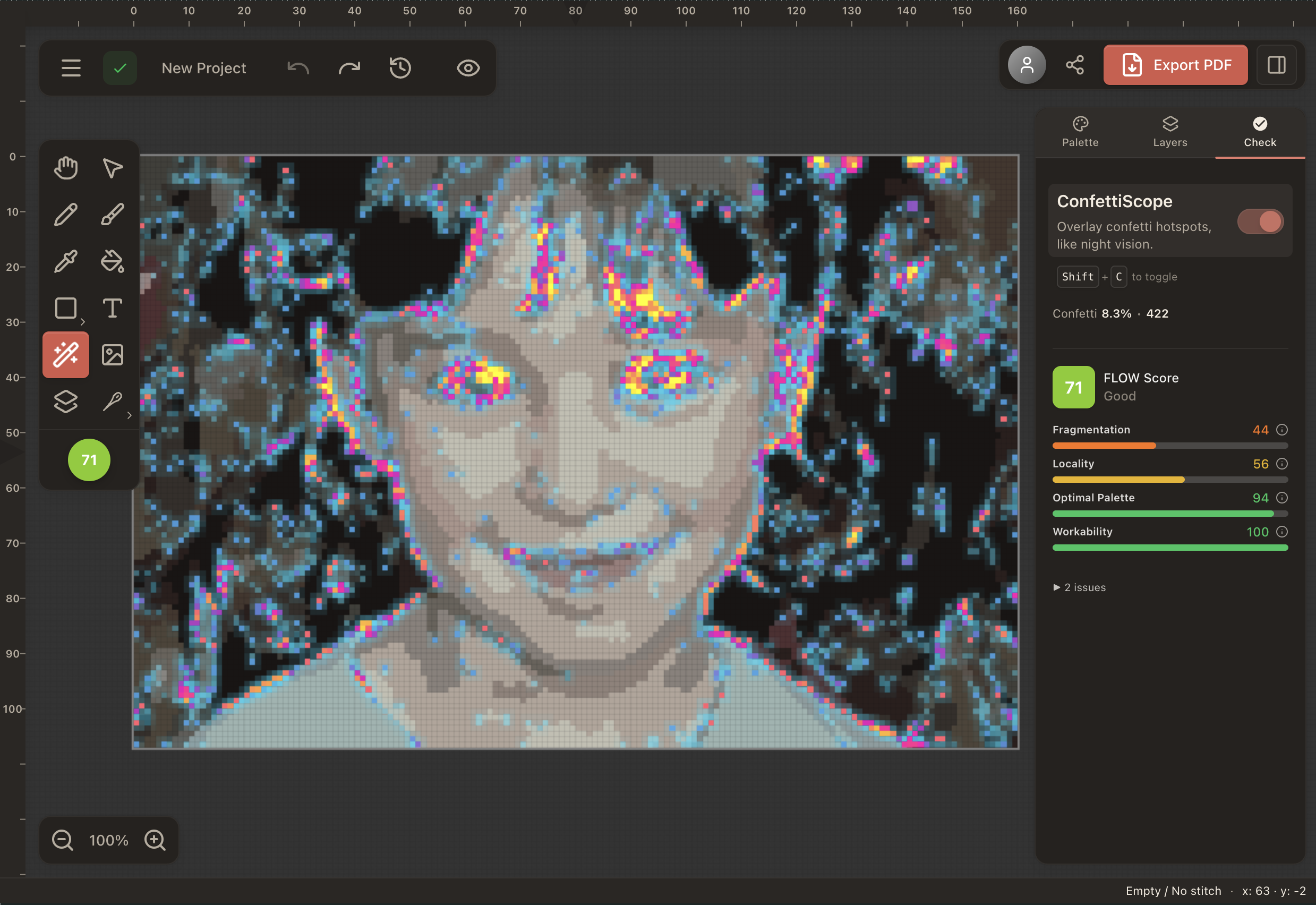
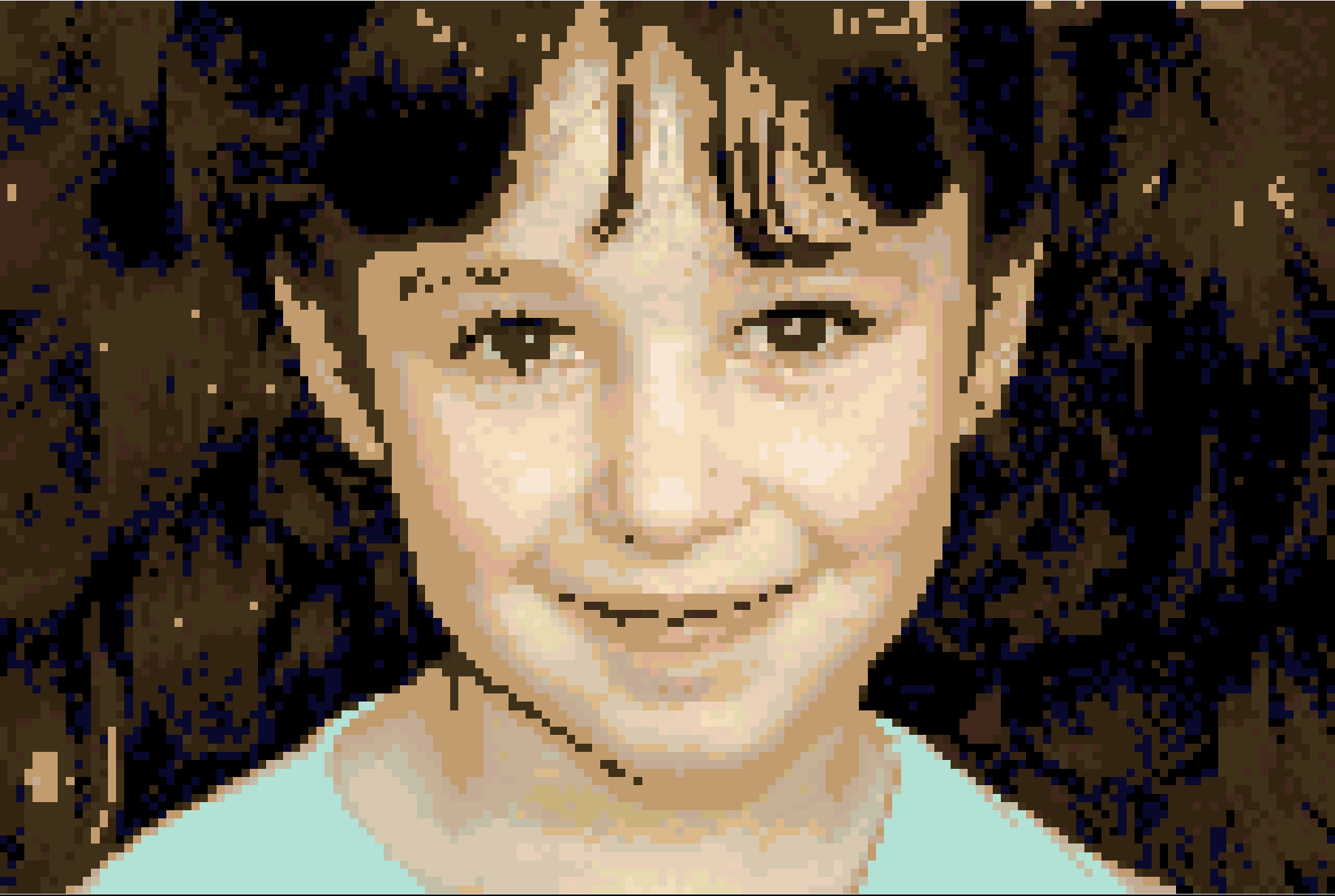
Stitchmate — ConfettiScope overlay (422 confetti). Notice they are concentrated in the eyes and hair, where detail matters most.
Three conversions side-by-side
Different images, same story: fewer specks, stable shapes, designs that look better and stitch easier.


The differences you'll feel on your next project
| Feature | Stitchmate | StitchFiddle |
|---|---|---|
| Photo conversion stitchability | Spatial-aware quantization; ConfettiScope measures + fixes | Pixel-independent conversion; more speckling at same settings |
| FLOW score | ✓ (0–100 stitchability rating) | — |
| Thread brands | 50+ (DMC, Anchor, Cosmo, hand-dyed, and more) | ~30 brands |
| French knots | ✓ | — |
| Blended threads | ✓ (2–4 strands, across all 50+ brands) | — |
| Layers | ✓ | — |
| Pattern file import | ✓ (.OXS, .PAT, .XSD — drag & drop) | .OXS only |
| Editor access (free tier) | Full editor, all tools, confetti cleanup, PNG export | Selection tools and backstitch require Premium |
| Partial stitches | Full + 1/4 + 1/2 + 3/4 with paintable workflows | Full + 1/4 + 1/2; step-by-step placement |
| SVG export | ✓ (paid plans) | ✓ (paid) |
| Pattern Keeper export | ✓ (all paid plans) | — |
| Realistic preview | ✓ Real-time fabric/stitch simulation | — |
| Multi-craft support | ✓ Cross stitch + needlepoint + diamond painting + fuse beads + C2C crochet | ✓ Cross stitch + knitting + crochet |
| Progress tracking | ✓ Free progress tracker: any device, syncs, backstitch and fractionals, parking and frog marks | ✓ Built-in row markers and progress view |
Why Stitchmate tends to look cleaner (especially on portraits)
Portraits are where pattern makers either shine or fall apart. Two things decide whether the chart feels smooth:
- Confetti — tiny lonely stitches that make you stop and change thread.
- Shapes — whether eyes, hair, and edges stay "together" instead of turning into noise.
Stitchmate aims for calmer shading at real stitch sizes — so it looks clean before you start editing. And if it's still messy, the confetti overlay shows you exactly what to fix.
Partial stitches, backstitch, and blended threads
If you stitch portraits, lettering, outlines, or detailed shading — these aren't "advanced features," they're how the piece becomes readable.
- Partial stitches: fast placement with brush workflows (full, 1/4, 1/2, 3/4)
- Backstitch export: includes legend entries + line styles designed to survive black & white printing
- Blended threads: mix 2–4 strands from any of 50+ brands — blend info carries through to PDF export
- French knots: fully supported in editor, PDF, and file imports
StitchFiddle supports partial stitches and backstitch. Blended threads, French knots, and layers are Stitchmate-only.
Palette control: how you avoid muddy results
Palette iteration is where charts become stitchable. With Stitchmate you can:
- Merge similar colors to reduce noise (without wrecking the image)
- Apply global palette tweaks (brightness/contrast) to improve stitch readability
- Remap to different thread brands without rebuilding from scratch
- Reduce colors in batches and watch the preview update live
StitchFiddle covers the basics — Stitchmate is built for deep iteration.
How they compare in practice
Feature lists aren't the whole truth. The other part is how the software responds when you're deep in a 45-minute cleanup session.
StitchFiddle covers the basics — it works, it exports. Knitting and crochet support is a genuine advantage if you work across yarn crafts. Progress tracking with row markers is useful if you stitch on tablet.
Stitchmate is built around the editing loop — GPU-accelerated canvas, instant undo with disk persistence, real-time preview updates as you adjust colors. Selection tools (rect, lasso, magic wand), copy/paste across layers, and brush-based confetti cleanup are all in the free tier.
Neither is "wrong" — they optimize for different workflows. StitchFiddle spreads across yarn crafts; Stitchmate goes deep on counted-thread work, covering cross stitch, needlepoint, and diamond painting with shared charts and editing depth.
Pricing
StitchFiddle: straightforward subscription-style pricing.
Stitchmate: flexible — pay per export, go unlimited, or buy lifetime. All one-time, nothing auto-renews.
StitchFiddle pricing:
StitchFiddle Premium: $5.50/month, ~50% off yearly. One-time payments (no auto-renew).
Stitchmate pricing: all one-time — nothing auto-renews.
| Option | Price | Best for |
|---|---|---|
| Single unlock | $5.99 | Try it once |
| 5-pack | $12 ($2.40 each) | A few projects |
| 10-pack | $20 ($2.00 each) | Regular stitchers — best value |
| Personal Pass | $14.99 for 30 days | Unlimited, personal use |
| Personal Lifetime | $99 | Pay once, keep forever |
| Commercial Pass | $24.99 for 30 days | Designers & sellers |
| Commercial Lifetime | $149 | Pay once, commercial-friendly |
Free vs premium: what you actually get
| Feature | Stitchmate Free | StitchFiddle Free | StitchFiddle Premium |
|---|---|---|---|
| Editor workflow | ✓ Full editor included | Limited | ✓ |
| Selection / transform / copy-paste | ✓ | — | ✓ |
| Partial stitches | ✓ (1/4, 1/2, 3/4 — fast brush workflow) | Limited | ✓ (supported, but slower placement) |
| Backstitch | ✓ Clean legend, B&W friendly | — | ✓ |
| French knots | ✓ | — | — |
| Blended threads | ✓ (2–4 strands) | — | — |
| Layers | ✓ | — | — |
| Pattern Keeper export | ✓ (paid plans) | — | — |
| Progress tracking | — | ✓ | ✓ |
Feature availability can change. This reflects typical behavior at the time of writing.
The bottom line
StitchFiddle is the right choice if you work across yarn crafts (knitting, crochet, cross stitch), want built-in progress tracking, or mostly stitch full-stitch charts without heavy editing. The interface is straightforward, and knitting charts are something Stitchmate doesn't offer — though Stitchmate does now cover C2C crochet, and for knitters it has a free gauge and cast-on calculator and knitter's graph paper with cells shaped to your gauge.
Stitchmate is the right choice if conversion quality matters to you — fewer confetti stitches, calmer regions, patterns that are enjoyable to stitch. It also has features StitchFiddle lacks entirely: French knots, blended threads, layers, 50+ thread brands, FLOW scoring, Pattern Keeper export, and broader file import — .OXS, .PAT, and .XSD (StitchFiddle only supports .OXS). The full editor is free — you only pay when you export a PDF.
For pattern sellers: Stitchmate's commercial plans include Pattern Keeper export, custom PDF branding, and realistic mockup previews. StitchFiddle doesn't export Pattern Keeper-compatible PDFs.
For a broader view, read the full 12-program review (or, for canvas work, the needlepoint chart software review), or see how Stitchmate compares to WinStitch and PCStitch.
Used Stitchmate? Tell others how it went.
The best way to compare? Try both.
StitchFiddle has a free plan. Stitchmate is free to start with PNG export. Open them side by side and see which workflow fits you better.
Works on any device — phone, tablet, or computer. No desktop software required.
All comparisons · All features · 12-program review · Pattern maker · Photo converter · DMC color chart · vs WinStitch · vs Stitchly · vs Musely
Actively developed — 66 updates in the past year, most recently . See what's new →
Frequently Asked Questions
What are "confetti stitches"?
Tiny isolated stitches that create thread changes and make charts feel noisy. Stitchmate's ConfettiScope measures and visualizes them so you can clean them up before you start stitching.
Which one is better for portraits?
Stitchmate tends to produce calmer shading with less confetti at the same settings, which matters most for faces and hair. The side-by-side comparisons on this page show the difference with real photos.
Do both support partial stitches, backstitch, and French knots?
Both support partial stitches and backstitch. Stitchmate also supports French knots, blended threads (2–4 strands), and layers — features StitchFiddle does not have. Stitchmate supports full, 1/4, 1/2, 3/4 stitches with faster brush workflows and exports backstitches with a clean legend designed for B&W printing.
Does Stitchmate support more thread brands than StitchFiddle?
Stitchmate includes 50+ thread brand catalogs in the editor — DMC, Anchor, Cosmo, Madeira, plus hand-dyed brands like Weeks Dye Works and Gentle Art — with perceptual color matching (CIEDE2000). StitchFiddle supports around 30 brands. Stitchmate also lets you remap an entire pattern from one brand to another with a single click.
Do I need an account to try Stitchmate?
No. You can open the editor and start working immediately — no sign-up required. You only create an account when you want to save or export.
What's the cheapest way to export in Stitchmate?
If you export occasionally, the 5 or 10 unlock packs are the best per-pattern value ($2.40 or $2.00 each). If you export constantly, Personal Pass or Lifetime is best.
Is StitchFiddle free?
StitchFiddle has a limited free plan, but most features — including PDF export, backstitch, and larger pattern sizes — require a paid subscription: StitchFiddle Premium is $5.50/month (about $2.75/month billed annually). Stitchmate's free tier includes the full editor, all drawing tools, confetti cleanup, and PNG export.
Does StitchFiddle support Pattern Keeper?
StitchFiddle does not export Pattern Keeper compatible PDFs. Stitchmate's PDF exports are Pattern Keeper-compatible in all paid plans — from $5.99 for a single pattern.
Can I import patterns from other software into Stitchmate?
Yes. Stitchmate opens .PAT (PCStitch), .OXS (WinStitch/MacStitch), and .XSD (Pattern Maker) files — drag and drop into the editor. StitchFiddle supports .OXS import but not .PAT or .XSD.