12 Cross Stitch Programs Reviewed (2026) — Honest Pros & Cons
You have more options than you think. Most of them are free to try.
You have more options than you think — and most are free to try.
- Free converters: Pic2Pat and Pixel-Stitch — photo to PDF in under a minute
- Free editors: Stitch Fiddle or FlossCross — convert and edit in your browser
- Most powerful: WinStitch (~$57) — 30+ thread brands, 28 years of updates
12 tools reviewed — with real pricing, honest limitations, and which one fits your situation.
You've got a photo of your dog, or a landscape from your last trip, or a half-formed idea for a geometric sampler — and you want to turn it into something you can stitch. So you search for cross stitch pattern software, and suddenly you're looking at a dozen options ranging from free browser tools to $300 professional suites, and half the comparison articles you find recommend programs that haven't been updated in a decade.
Here's the honest picture. There are 12 cross stitch programs worth considering in 2026, and most of them are free to try. The right one depends on a simple question: what are you actually trying to do?
Last updated March 2026. All prices verified February 2026.
Direct answer — best counted cross stitch programs in 2026
The best cross stitch software depends on what you actually need: WinStitch / MacStitch (~$57) is the most powerful counted cross stitch design software for desktop; Stitchmate (free to start) is the best browser-based counted cross stitch program for photo conversion with confetti cleanup; FlossCross (free) is the best free counted cross stitch pattern software for DMC-only projects up to 300×300; and PCStitch ($49.95, Windows-only) is the easiest paid counted cross stitch program to learn.
Below: full reviews of all 12 cross stitch programs — desktop, web, and mobile — with platform support, price, thread brands, and confetti handling for each.
Start here: what are you trying to do?
Cross stitch tools fall into three buckets, and picking the wrong bucket is the most common mistake people make:
"I want to turn a photo into a cross stitch pattern." You need a photo-to-pattern converter. These take an image, reduce it to a grid of stitches, and match the colors to real thread brands like DMC or Anchor. Some are completely free. The quality difference between tools is huge — mostly in how they handle color reduction and whether you get scattered single stitches everywhere (stitchers call this "confetti" — more on that below).
"I want to design a pattern from scratch." You need a cross stitch pattern maker with drawing tools — pencil, fill, shapes, text and fonts. Think of it like a simplified pixel art program, but tied to a thread color palette. Desktop tools are strongest here. Web-based editors are catching up fast.
"I want to track my stitching progress on my phone." You need a tracker, and for years that meant a separate markup app: Pattern Keeper (Android) and Markup R-XP (iOS + Android) are the main options for PDF charts from other designers. If the pattern is one you made or converted yourself, Stitchmate's progress tracker does this in the browser on any device, syncs across them, and tracks backstitch, which neither app does. See Pattern Keeper vs Stitchmate for the honest split.
"I'm charting for needlepoint, not cross stitch." Different checklist entirely — tent stitch rendering, mesh-count sizing, and wool thread brands, which most of the programs below don't have. We reviewed 8 needlepoint chart programs separately.
Most tools combine the first two — they can convert photos and let you edit the result. But some only do conversion (Pic2Pat, Pixel-Stitch), and some are only for tracking (Pattern Keeper). A few now do all three (Stitchmate, Stitchly, Knytstudio). Knowing the difference saves a lot of confusion.
Best cross stitch software by category — our top picks
The best tool — whether you call it cross stitch software, a counted cross stitch program, or a charting app — depends on what you actually need. There is no single winner. If you landed here ready to design your own, the fastest path is to open the editor and start placing stitches; the rest of this guide is for weighing every option against each other. Here's what we'd pick across categories after testing all 12 programs:
- Most powerful (desktop): WinStitch / MacStitch — 30+ thread brands, nearly three decades of updates. ~$57 one-time.
- Best free: Stitch Fiddle (generous free tier, nothing to install) or FlossCross (100% free including PDF export, but DMC only).
- Best for photo conversion: Stitchmate — 50+ thread brands, perceptual color matching, and automated confetti cleanup. Free to try.
- Best value on desktop: PCStitch 11 — $49.95 one-time with 2,000+ built-in patterns. Hasn't been updated in years, but still works well for what it does.
- Best mobile app: Stitchly for creating on iPad with Apple Pencil (
$50). Pattern Keeper for tracking PDF charts on Android ($9). Stitchmate for tracking your own patterns on any phone, free, in the browser. - Best for selling patterns: Love It Stitch It — integrated marketplace with no listing fees. ~$10/month.
Every tool above is covered in detail below, along with six more worth knowing about.
Pick in 30 seconds
If you already know what you need, start here:
- Free quick photo conversion → Pic2Pat or Pixel-Stitch
- Free browser editor → FlossCross or Stitch Fiddle
- Photo conversion + confetti cleanup → Stitchmate or Knytstudio
- Serious desktop editing (Windows) → PCStitch or WinStitch
- Cross stitch software for Mac → MacStitch (the only dedicated desktop option)
- Best cross stitch app for iPad → Stitchly (Apple Pencil support)
- Tracking PDF charts on Android → Pattern Keeper
- Pattern Keeper alternative for iOS, PC, or Mac → Stitchmate's progress tracker for your own patterns; Markup R-XP for third-party PDFs
- Create + sell patterns → Love It Stitch It
Still not sure? Keep reading — the full breakdown is below.
Quick comparison table
This guide compares the best cross stitch software and pattern-making tools for Windows, Mac, iOS, Android, and web. Every tool reviewed, at a glance:
| Tool | Type | Price | Platform | Thread brands | Max size | Best for |
|---|---|---|---|---|---|---|
| Pic2Pat | Photo converter | Free | Any browser | DMC, Anchor, Madeira, Venus | Varies | Quick free conversion |
| Pixel-Stitch | Photo converter | Free | Any browser | DMC, Anchor, Sulky | Varies | Free conversion + OXS export |
| Stitch Fiddle | Editor + converter | Free / $33/yr | Any browser | DMC, Anchor, Madeira | 300×300 free, 2,000×2,000 paid | Free browser editor |
| FlossCross | Editor + converter | Free | Any browser | DMC only | 300×300 | 100% free with PDF export |
| Stitchmate | Editor + converter | Free to start, from $5.99 | Any browser | 50+ brands (DMC, Anchor, Cosmo, Madeira, JP Coats, Weeks Dye Works, Gentle Art, and more) | 2,000×2,000 | Photo conversion + confetti cleanup + free progress tracker |
| Knytstudio | Editor + community | Free / €4/mo | Any browser | DMC, Anchor, Sullivans, J&P Coats, Maxi | 200×200+ | Community patterns + remixing |
| Love It Stitch It | Editor + marketplace | ~$10/mo | Any browser | DMC | Varies | Create + sell in one place |
| PCStitch 11 | Editor + converter | $49.95 one-time | Windows only | DMC, Anchor, Kreinik, +8 more | 999×999 | Easy Windows pattern design |
| WinStitch / MacStitch | Editor + converter | ~$57 one-time | Windows + Mac | 30+ brands | 999×999 | Most powerful all-in-one |
| Stitchly | Editor + converter | ~$50 one-time | iOS, Mac (M1+), Android | DMC, Anchor, WDW, Kreinik, GA | Varies | iPad + Apple Pencil design |
| Pattern Keeper | Progress tracker | ~$9 one-time | Android only | N/A (reads any PDF) | N/A | Android chart tracking |
| Markup R-XP | Progress tracker | $17.99/yr | iOS + Android | DMC, Anchor, Madeira | N/A | iOS chart tracking |
Now let's look at each one properly.
Free photo-to-pattern converters
If you just want to turn a photo into a cross stitch pattern and download a PDF — nothing more — these two do the job for free. No registration, no catches.
Pic2Pat — free, instant PDF
Price: Free. No account needed.
Upload a photo. Pick your fabric count, finished size, and thread brand (DMC, Anchor, Madeira, or Venus). Pic2Pat generates several variants with different color counts so you can compare a 15-color version against a 30-color version side by side. Download a PDF with the chart, symbols, and a thread key showing how many skeins you need. The whole process takes about a minute. Available in 20+ languages.
Best for: Quick experiments — "What would this photo look like as a pattern?" moments.
- What's good: Genuinely fast. The skein calculation helps budget your craft store trip. Multi-variant output lets you compare color counts before committing.
- What's not: No way to edit the result. No backstitch or specialty stitches. Can struggle with skin tones and subtle gradients.
Pixel-Stitch — free, with OXS export
Price: Free. No registration.
Similar concept to Pic2Pat: upload an image at pixel-stitch.net, choose your stitch count and colors, generate a pattern. Supports DMC, Anchor, and Sulky palettes, plus custom RGB. Also handles fuse beads and diamond painting modes.
The standout feature: OXS export — an open file format that WinStitch/MacStitch and FlossCross can open directly. Convert with Pixel-Stitch, then refine in a full editor.
Best for: Free photo-to-pattern conversion with the option to import into WinStitch or FlossCross afterward.
- What's good: OXS export bridges nicely into desktop editing tools. Also supports PDF and Excel output.
- What's not: Conversion only, no manual editing. No backstitch or fractional stitches.
See also: Musely takes an AI-generator approach to the same job — Stitchmate vs Musely breaks down how AI image generation compares to real photo conversion.
The confetti problem (why your photo conversion might look awful)
Before we get into editors, there's one concept you need to understand — because it's the single biggest quality difference between cross stitch tools, and most comparison articles skip it entirely.
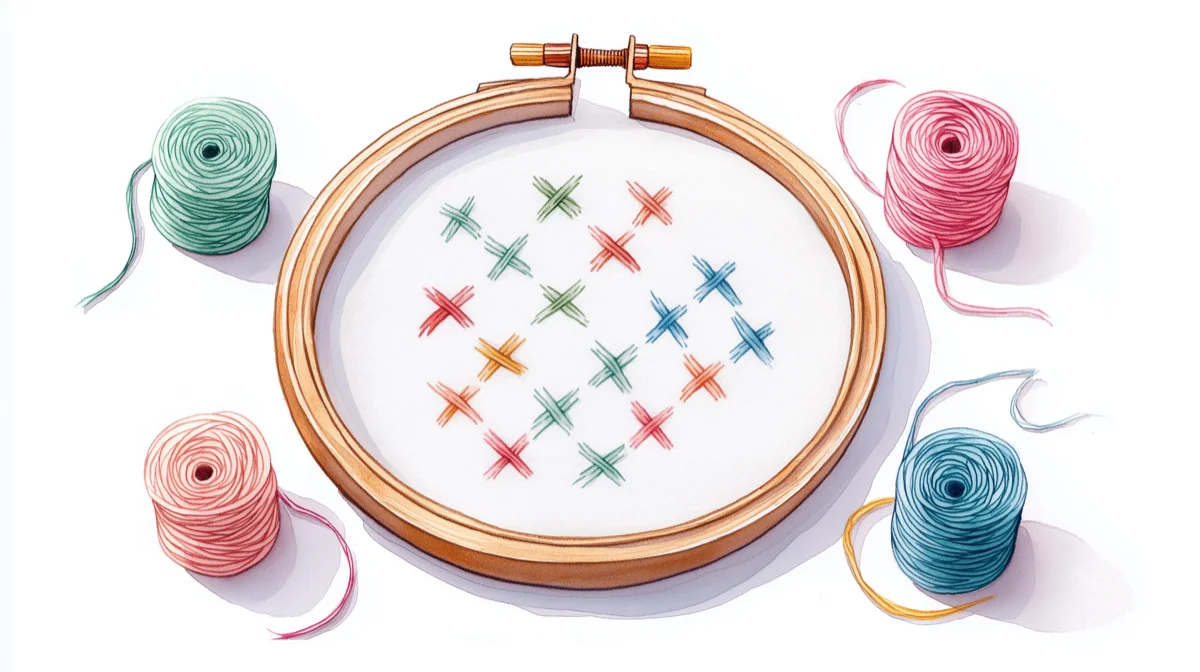
When you convert a photo to a cross stitch pattern, the software maps each pixel to the nearest thread color. The result is often technically accurate but full of isolated single stitches — a red here, a pink there, a blue two squares away — scattered across the pattern like confetti. These aren't artistic choices. They're artifacts of the conversion treating every pixel independently.
Confetti makes patterns miserable to stitch. Each isolated stitch means a thread change, more counting, more errors, and a finished piece that often looks muddier than a cleaner pattern with fewer colors. Advanced Cross Stitch has a good visual comparison showing how different tools handle the same photo. (Full breakdown in our confetti guide.)
How different tools handle confetti:
- No cleanup at all: Pic2Pat, Pixel-Stitch. Fine for 10–15 color patterns with simple subjects. Produces difficult results with detailed photos.
- Manual editing only: Stitch Fiddle, FlossCross, PCStitch, WinStitch. You can fix individual stitches, but it's a one-by-one process.
- Automated confetti cleanup: Stitchmate (dedicated brush + automated removal) and Knytstudio ("Fix All" button). A clear differentiator when working with photo conversions.
The practical advice: Keep your color count in the 15–25 range for photo conversions. More colors doesn't mean more detail — it usually means more confetti. A 20-color pattern with clean regions will look better and be more enjoyable to stitch than a 50-color pattern full of scattered singles. (More on this in how many colors for cross stitch.)
Web-based cross stitch editors
These run in your browser — no downloading, no installing, works on Mac, Windows, Chromebook, or tablet. They can convert photos and let you edit the result. The tradeoff vs. desktop software: fewer specialty stitch types and smaller maximum pattern sizes in most cases.
Stitch Fiddle — the established free option
Price: Free tier (15 patterns, up to 300×300). Premium: $2.75/month billed annually ($33/year) or $5.50/month — non-renewing, so no surprise charges.
Stitch Fiddlehas the longest track record of the web-based tools, and the free tier is generous enough that many stitchers never upgrade. You get image upload, basic drawing tools, and QR code generation for sharing patterns. Free patterns are capped at 50 colors. Thread palettes include DMC (489 colors), Anchor (445), and Madeira (379).
Premium unlocks unlimited patterns, 2,000×2,000 maximum size, 250 colors, PDF and SVG export, half and quarter stitches, backstitch, chart mirroring, and folder organization. It also supports knitting, crochet, diamond painting, and several other crafts.
Best for: Beginners and hobbyists who want a free or low-cost starting point with nothing to install.
- What's good: Free tier covers most hobbyist needs. Clean, approachable interface. Cloud sync. Non-renewing payment. Lord Libidan rates it 10/10 as best free option.
- What's not: Basic editing vs. desktop tools — no layers, limited undo, no confetti cleanup. Photo conversion offers limited control over color grouping.
- Avoid if: You need automated confetti cleanup or multi-layer editing. See our Stitchmate vs StitchFiddle comparison for a detailed feature-by-feature breakdown.
FlossCross — completely free, surprisingly capable
Price: Free. No paid tier, no registration, no watermarks.
FlossCrossdeserves more attention. Everything is free — including PDF export and commercial use rights for patterns you create. The full DMC palette is rendered as photographed floss textures (not flat blocks), giving a more realistic preview. The editor uses WebGL acceleration, so it's responsive on modest hardware.
Features include backstitch, half-cross, and petite stitch support, plus OXS format import and export (compatible with WinStitch/MacStitch). You can start here and move to desktop software later without losing work.
Best for: Budget-conscious stitchers who use DMC and don't mind the 300×300 limit.
- What's good: Free PDF export, free commercial use, OXS compatibility. Realistic floss previews.
- What's not: 300×300 max with only 3 pattern slots. DMC only. Your patterns live in your browser's local storage — clear your cookies or switch browsers and unsaved work is gone. No cloud sync. Export frequently.
- Avoid if: You use Anchor, Cosmo, or other non-DMC brands. For a deeper look at what FlossCross does well (and where it falls short), see the Stitchmate vs FlossCross comparison.
Stitchmate — photo conversion with confetti cleanup
Price: Free to start. Unlock passes from $5.99 for PDF export and larger patterns.
Stitchmate is modern and fast, but it's newer — so you won't find a decade of YouTube tutorials yet. It focuses on the gap between "quick free converter" and "serious desktop tool."
The photo converter matches to 40+ thread libraries including DMC, Anchor, Cosmo, Madeira, JP Coats, Weeks Dye Works, Classic Colorworks, and Gentle Art using perceptual color distance (CIEDE2000). In plain English: it picks thread colors that look right in real life, not just on your monitor — across both major brands and hand-dyed lines.
The editor includes drawing tools, backstitch, multi-layer editing, unlimited undo, and a confetti cleanup brush for removing scattered single stitches. A built-in quality score (FLOW Score) rates your pattern's stitchability on a 0–100 scale, helping you spot problem areas before you commit to a project.
PDF export produces charts with symbol grids, color legends, and thread usage calculations. A fabric calculator helps you work out finished size and fabric requirements before you start. Cloud sync keeps patterns accessible across devices.
Beyond cross stitch, the same editor covers needlepoint, diamond painting, fuse beads, and C2C crochet — the crochet mode also writes row-by-row instructions for the C2C graph, not just the chart.
Best for: Stitchers who want photo conversion with real color matching across multiple thread brands — and the ability to clean up confetti before printing. For designing from scratch rather than converting a photo, see the pattern editor.
- What's good: 50+ thread brands including hand-dyed lines. Automated confetti cleanup. Multi-layer editing. FLOW Score for stitchability. Cloud sync. A free built-in progress tracker that runs on any device, syncs, and tracks backstitch. Photo converter free to try without an account.
- What's not: Smaller community than established tools, fewer third-party tutorials. Free tier requires paid unlock for PDF export and larger patterns.
- Avoid if: You want a tool with a decade-long community and hundreds of how-to videos. For head-to-head breakdowns, see Stitchmate vs PCStitch, Stitchmate vs WinStitch, and Stitchmate vs KG-Chart.
Knytstudio — community-driven cross stitch editor
Price: Free (up to 3 patterns). Pro: €4/month for unlimited patterns, advanced export, early access.
Knytstudiotries something none of the others do: pattern creation with a community layer. Publish patterns, fork them, change colors, remix — think GitHub for cross stitch.
Three creation modes: photo upload, design from scratch, and AI text-to-pattern generation where you describe what you want and get a starting point. Thread support includes DMC, Anchor, Sullivans, J&P Coats, and Maxi.
Built-in confetti cleanup with adjustable levels and a "Fix All" button. OXS export for moving patterns into WinStitch or FlossCross. The platform also doubles as a progress tracker — mark stitches on your phone without a separate app.
Best for: Stitchers who like browsing and remixing community patterns, or who want AI-generated starting points.
- What's good: Community pattern library. AI generation mode. Confetti cleanup. OXS export. Built-in progress tracking.
- What's not: Genuinely new — few third-party reviews or community discussions yet. Lord Libidan rated it 4.5/10, noting limited conversion quality vs. established tools. Specialty stitch support (backstitch, fractionals) still developing. No confirmed Pattern Keeper compatibility.
- Avoid if: You need proven reliability backed by years of community feedback.
Love It Stitch It — create and sell in one place
Price: 7-day free trial, then ~$10/month (reduced annually) or pay-as-you-go per pattern. No listing fees for sellers.
Love It Stitch Itcombines a pattern editor with a built-in marketplace for buying and selling designs. Created by Sally Wilson (
Caterpillar Cross Stitch), it targets stitchers who want to create and sell from a single platform.
Photo-to-pattern conversion: upload, choose size and colors, get a PDF. The marketplace is dedicated to cross stitch, which means more concentrated traffic than listing on Etsy. Sellers keep most of the sale price — small commission, no listing fees.
Lord Libidanrated it 8/10 based on 198 reviews: "a very simple, easy to use pattern program."
Best for: Stitchers who want to create simple patterns and sell them without managing separate tools.
- What's good: Integrated marketplace with no listing fees. Simple workflow. 7-day free trial.
- What's not: At
$10/month, significantly more expensive over time than PCStitch ($49.95) or WinStitch ($57). DMC only. Editing tools favor simplicity over power. No confirmed backstitch support or Pattern Keeper compatibility. - Avoid if: You want powerful editing tools, or you're not planning to sell patterns.
Desktop cross stitch software
Desktop tools require downloading and installing, but you get the deepest editing capabilities, the widest specialty stitch support, and the ability to work with very large patterns. Both main options are one-time purchases — no subscriptions.
PCStitch 11 — $49.95, Windows only
Price: $49.95 one-time. Current version: 11 (last meaningful update: ~2016). Website: pcstitch.com.
PCStitch built its reputation as the easiest cross stitch design software to learn, and that reputation is earned — Gathered's expert review panel agrees it's the gentlest starting point on Windows. The Import Wizard walks you through photo conversion step by step. The included library of 2,000+ pre-designed patterns and 90+ stitched alphabets is unmatched at this price.
It supports 60+ specialty stitches (including Lazy Daisy and custom stitch creation), backstitch, Mill Hill beads, French knots, and multiple thread brands (DMC, Anchor, Kreinik, Weeks Dye Works, and about eight others). Maximum pattern size: 999×999 with up to 200 colors.
The honest situation: PCStitch works. Thousands of stitchers use it daily. But it hasn't had a meaningful feature update in roughly a decade. No native PDF export (use print-to-PDF). No OXS support. The interface feels like an earlier era. At $49.95 for a permanent license, it's a reasonable investment — just go in with accurate expectations.
Best for: Windows users who want a gentle learning curve and lots of included content.
- What's good: Easiest desktop tool to learn. Massive built-in pattern library. 60+ specialty stitches. Affordable one-time purchase.
- What's not: No meaningful updates since ~2016. No native PDF export. No OXS format. Dated interface.
- Avoid if: You're on Mac (it's Windows-only), or you want a tool that's actively evolving. See the Stitchmate vs PCStitch comparison for a side-by-side feature table.
WinStitch / MacStitch — ~$57, the power option
Price: £46 (~$57–60 USD) one-time for Premium. Upgrades from recent versions: £14. Current version: 2026 (annual release cycle, nearly three decades of continuous development).
WinStitch and MacStitch are the same application on different platforms, from Ursa Software — the most feature-rich cross stitch design tools available, and the only ones still getting annual updates after nearly three decades. If you need cross stitch software for Mac, MacStitch is the definitive desktop option.
The thread library covers 30+ brands — DMC, Anchor, Madeira, Weeks Dye Works, Gentle Arts, Miyuki Delica, and many more. Stitch types: full, half, quarter, ¾ stitches, backstitch with variable thickness, French knots, beads, buttons, sequins.
Premium adds layers, onion skin photo tracing, text with any TrueType font, and a stock list for tracking skeins you already own.
The software handles multiple crafts beyond cross stitch: Tunisian crochet, C2C crochet, bobble graphs, knitting, diamond painting, tapestry, plastic canvas, and Hardanger. (Stitchmate doesn't chart knitting; if that's what you're after, the closest it gets is knitter's graph paper with gauge-shaped cells and a gauge and cast-on calculator.)
WinStitch created the OXS open format — your patterns aren't trapped in proprietary files. Lord Libidan rates it 10/10. (Worth noting: Libidan has a partnership with Ursa Software including a discount code, so factor that in.)
Best for: Stitchers who want the most powerful tool available, or who work across multiple crafts.
- What's good: 30+ thread brands. Comprehensive stitch support. Annual updates. OXS format. Multi-craft support. Mac and Windows.
- What's not: Utilitarian interface — powerful but not pretty. Steeper learning curve. Premium required for advanced features (Lite caps at 300×300). Priciest option (though ~$57 is still less than four skeins of hand-dyed floss).
- Avoid if: You want something simple and immediate — web-based tools will feel more approachable. For a detailed feature-by-feature breakdown, see our Stitchmate vs WinStitch comparison.
Best cross stitch apps for mobile
Stitchly — ~$50, the best cross stitch app for iPad
Price: ~$50 one-time (£39.99). iPhone, iPad, Mac (M1+), and Android 8+.
Stitchlyis the standout mobile option for creating patterns (vs. tracking progress). Apple Pencil support makes drawing on iPad feel natural.
Thread palettes include DMC, Anchor, Weeks Dye Works, Kreinik, and Gentle Art. Supports full, half, quarter, ¾ stitches, backstitch, and French knots — wider stitch range than most web-based tools. PDF export includes customizable branding.
4.8/5 rating on the App Store from ~2,100 reviews. Apple featured it as "App of the Day." The developer team (UK husband-and-wife duo) get consistently praised for responsive support.
Best for: iPad stitchers who want to design patterns with Apple Pencil.
- What's good: Apple Pencil support. Wide stitch range. One-time purchase. Excellent App Store reviews and developer support.
- What's not: App-only, no web fallback. An iOS purchase doesn't carry over to Android — Stitchly's own FAQ is upfront that the platforms use separate payment systems. Patterns live in Stitchly's own format.
- Avoid if: You want browser access, or you move between an iPhone and an Android tablet.
Pattern Keeper — ~$9, Android chart tracking
Price: ~$9 one-time after a free month-long trial. Android only.
Pattern Keeperisn't design software — it's a chart-reading and progress-tracking app for stitching from existing patterns. Load a PDF, and PK displays it as one seamless chart without page breaks. Highlight symbols by color, mark stitches as done, track completion percentage. If you're new to digital charts, our pattern reading guide covers what you need to know before loading your first PDF.
It has genuinely changed how many stitchers work — highlighting one color at a time and swiping to mark blocks makes large patterns far less intimidating.
Best for: Android users who stitch from existing PDF patterns.
- What's good: Seamless chart display. Color highlighting. Progress tracking. One-time purchase. Free month trial.
- What's not: Android-only — no iOS version despite years of requests. Requires specifically formatted PDFs from design tools (not every export works). See the compatibility note below.
- Avoid if: You're on iOS (try Markup R-XP instead) or you need a pattern creator, not a tracker.
Markup R-XP — $17.99/year, the Pattern Keeper alternative for iOS
Price: $17.99/year subscription. iOS + Android.
Markup R-XPfills the gap for Apple users who can't use Pattern Keeper. It works with any PDF or image from any designer — no special formatting required. It can even process a photo of a paper chart.
Features include automatic symbol detection, page stitching into one large chart, built-in DMC/Anchor/Madeira shade cards, and detailed stitching stats including estimated completion dates. The developer is widely praised for fast, personal support.
Best for: iOS stitchers who want digital chart tracking — the strongest Pattern Keeper alternative.
- What's good: Works with any PDF or image. Automatic symbol detection. Cross-platform (iOS + Android). Active developer support.
- What's not: Subscription model ($17.99/year) frustrates some users who preferred the old one-time purchase. Steeper learning curve than Pattern Keeper.
- Avoid if: You're on Android and can use Pattern Keeper (which is simpler and a one-time purchase).
Pattern Keeper compatibility
If you use Pattern Keeper for stitching, you need to know which design tools produce compatible PDFs. PK requires TTF fonts with selectable text symbols. If a PDF uses images of symbols instead of text characters, PK can't highlight colors or mark stitches.
Works reliably: WinStitch/MacStitch (native export built with PK's developer), Pic2Pat (listed on PK's supported designers page), Stitchmate (font-based symbol rendering).
Works with caveats: PCStitch (requires Symbols or Symbols 2 fonts only — not Symbols 3; some users report partial rendering issues).
Unconfirmed: Stitch Fiddle, FlossCross, Stitchly. Not listed on PK's supported designers page. May work, may not.
Test with a small pattern before committing to a large project.
So what should you pick?
"I just want to try converting a photo — the fastest path." Go to Pic2Pat. Upload. Download a PDF in under a minute. Free, no account.
"I want to convert a photo and actually clean up the result." Start with Stitch Fiddle (free) or Stitchmate's photo converter (free to try). Both let you convert and edit in your browser. If confetti cleanup matters, Stitchmate and Knytstudio have automated tools for it.
"I want to design original patterns on my computer."
Windows: PCStitch ($49.95) for simplicity, or WinStitch ($57) for power. Mac: MacStitch ($57) is the only dedicated option. Both have free demos — try before buying.
"I design on my iPad." Stitchly (~$50). Nothing else comes close for mobile pattern creation with Apple Pencil.
"I want the most capable tool regardless of price." WinStitch/MacStitch Premium. Nearly three decades of continuous development, 30+ thread brands, cross stitch + crochet + knitting + diamond painting in one application.
"I want completely free, no strings attached." FlossCross. Free PDF export, free commercial use, OXS support. Accept the 300×300 limit and DMC-only palette, and export your work frequently.
"I want to create and sell patterns." Love It Stitch It integrates creation and marketplace. Or use any design tool and sell on Etsy — more work to set up, but no monthly fee.
"I honestly don't know yet." That's fine. Every tool on this list except PCStitch and WinStitch is free to try. Open a browser tab, upload a photo, and see what happens. You'll learn more in ten minutes of experimenting than from any comparison article — including this one. If you'd rather start with a quick side-by-side table, our cross stitch software comparison page covers the top five programs at a glance.
Common mistakes
Using a photo that doesn't convert well. This matters more than which tool you pick. A well-lit photo with a clear subject and good contrast produces a decent pattern in any converter. A blurry, low-contrast photo with a busy background will look bad everywhere. Crop tight, boost contrast slightly, and simplify the background before converting.
Too many colors. Pushing the slider to 50 for "maximum detail" usually produces a confetti-filled chart that's exhausting to stitch and doesn't actually look better. Start with 15–20 for portraits, 10–15 for simpler subjects.
Trusting outdated recommendations. Several programs from other comparison articles no longer exist. Hobbyware Pattern Maker's website is a parked domain. STOIK Stitch Creator, BlendThreads, and EasyGrapher are discontinued. KG-Chart's free edition was pulled — see Stitchmate vs KG-Chart. If an article recommends any of these, check the date.
Buying desktop software without trying the demo. PCStitch and WinStitch both offer free demos. Use them. Software that sounds perfect in a review might not match how you actually work.
Not exporting frequently in free tools. FlossCross stores everything in your browser's local storage. Clear your cache and it's gone. Even with cloud sync, export a backup regularly. Losing a half-finished pattern to a browser hiccup is a uniquely specific kind of frustrating.
Further reading
- Lord Libidan's cross stitch software rankings — detailed scoring of 10+ programs with video walkthroughs.
- Gathered's expert panel review — curated picks from the Gathered craft team.
- Advanced Cross Stitch visual comparison — side-by-side conversion output from several tools.
- Caterpillar Cross Stitch's beginner guide — Sally Wilson's walkthrough for first-time software users.
See how your photo converts
Upload an image and see it as a cross-stitch pattern — adjust colors, clean up confetti, and preview the result before you buy a single skein.
Try the Photo ConverterNo account required to start.
FAQ
What is the best cross stitch software for beginners?
Do I actually need cross stitch software?
Is there good free cross stitch software?
Can I use cross stitch software on Mac?
What happened to PCStitch? Is it still updated?
Why does my photo-converted pattern look terrible?
Which tools produce patterns that work with Pattern Keeper?
What is the best cross stitch software for designing original patterns from scratch?
Is there a Pattern Keeper alternative for iOS?
What is the best cross stitch software overall?
What is the best counted cross stitch program?
What is the best counted cross stitch design software?
What is the best cross stitch app for designing patterns?
Related Guides & Tools

Photo to Cross Stitch Converter
Upload a photo and convert it to a stitchable pattern with real-time preview.
What Is Confetti in Cross Stitch?
Why converters create scattered stitches and how to handle them.
How Many Colors for Cross Stitch?
Find the right color count for your pattern type and skill level.

DMC Color Chart
Browse all 489 DMC colors with codes and brand equivalents.
DMC vs Anchor Thread
Which thread brand to choose — and why the difference matters.
What Is FLOW Score?
How to measure whether a pattern will be enjoyable to stitch.
8 Needlepoint Chart Programs Reviewed
The same honest treatment for needlepoint — wool support, tent stitch rendering, and mesh sizing compared.