
Free to design · Pay only for the PDF

Turn any photo into a pattern you’ll enjoy making

Or start from a blank grid. Either way, you'll know how it stitches up before you buy a single skein.

What are you making?
Start Designing

Drop a photo in and it converts on your device. Nothing is uploaded.

61,515patterns created
Pattern Keeper TESTED certification badge from patternkeeper.app
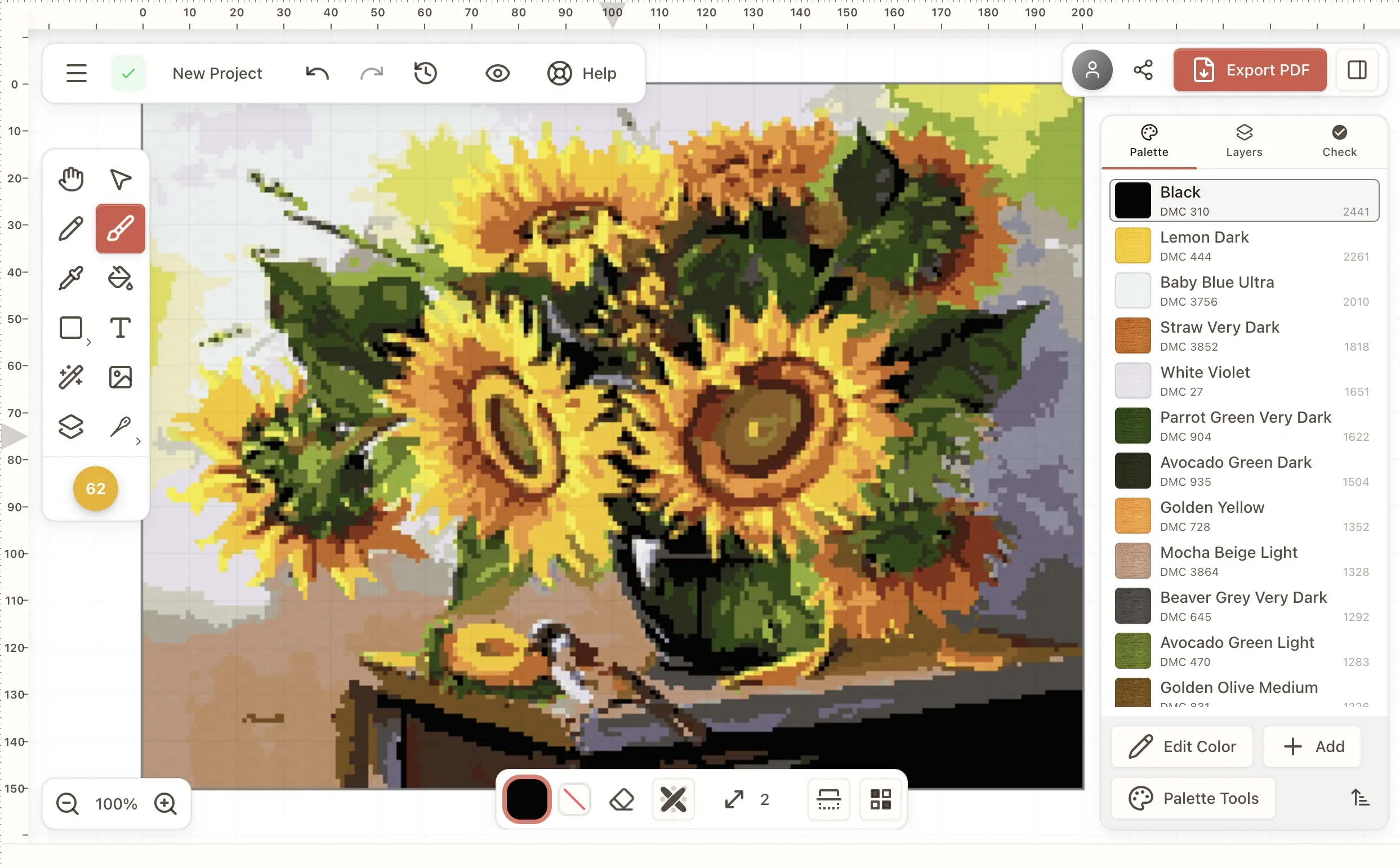
Stitchmate cross stitch pattern editor with a sunflower design and DMC thread palette
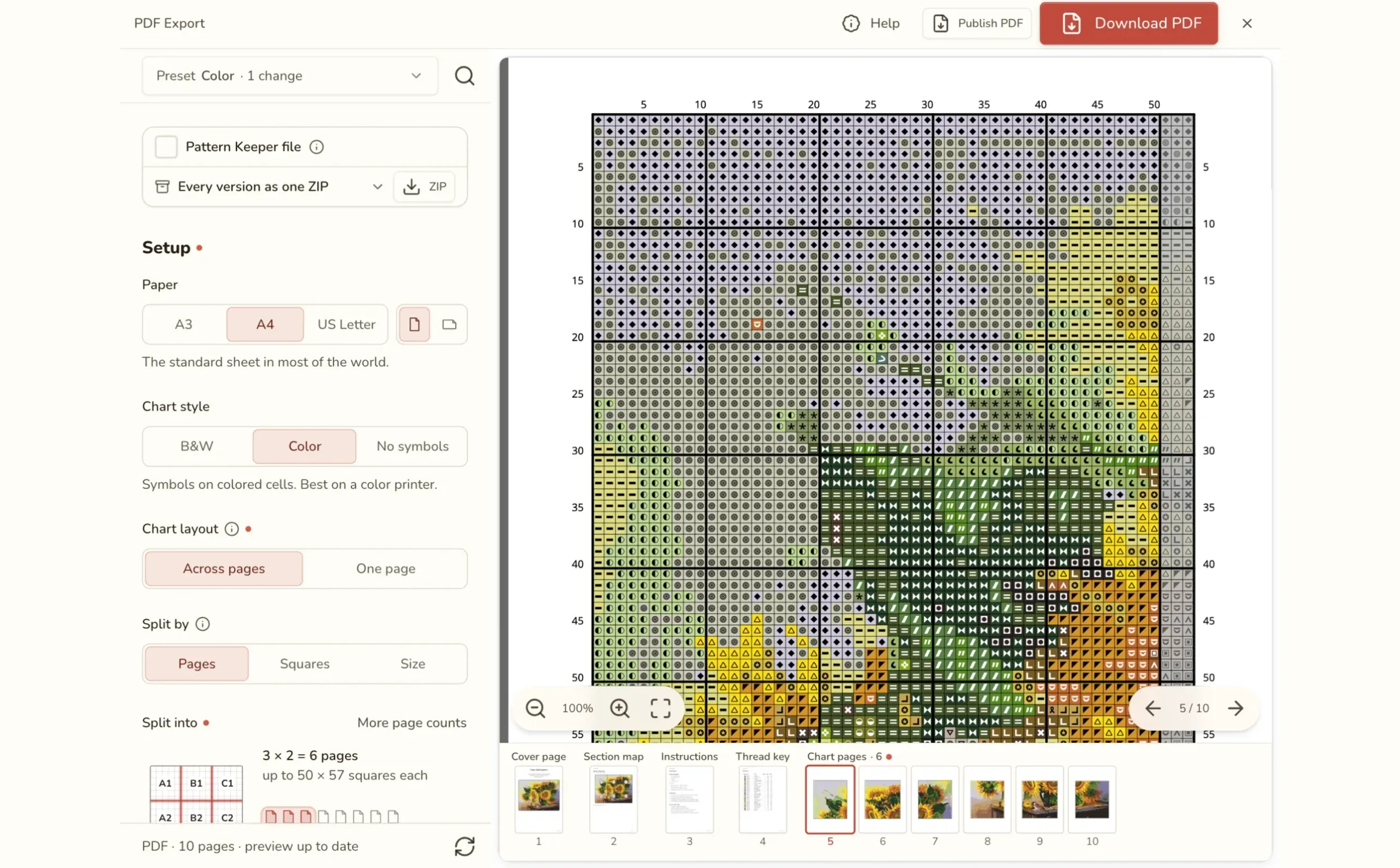
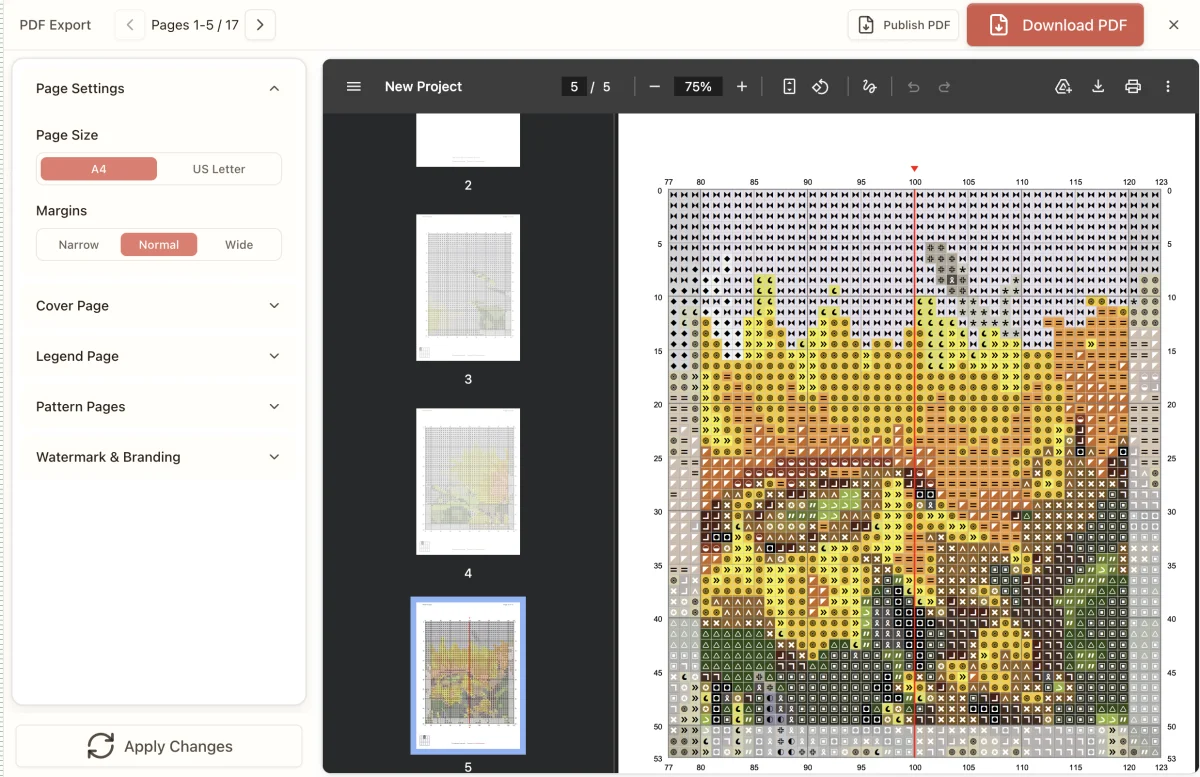
Stitchmate PDF export view showing color symbol pattern pages with page settings
4.3/5from 646 stitchers“In my opinion, the best online program for cross stitch right now.” — Lord Libidan

From a phone photo to a framed piece

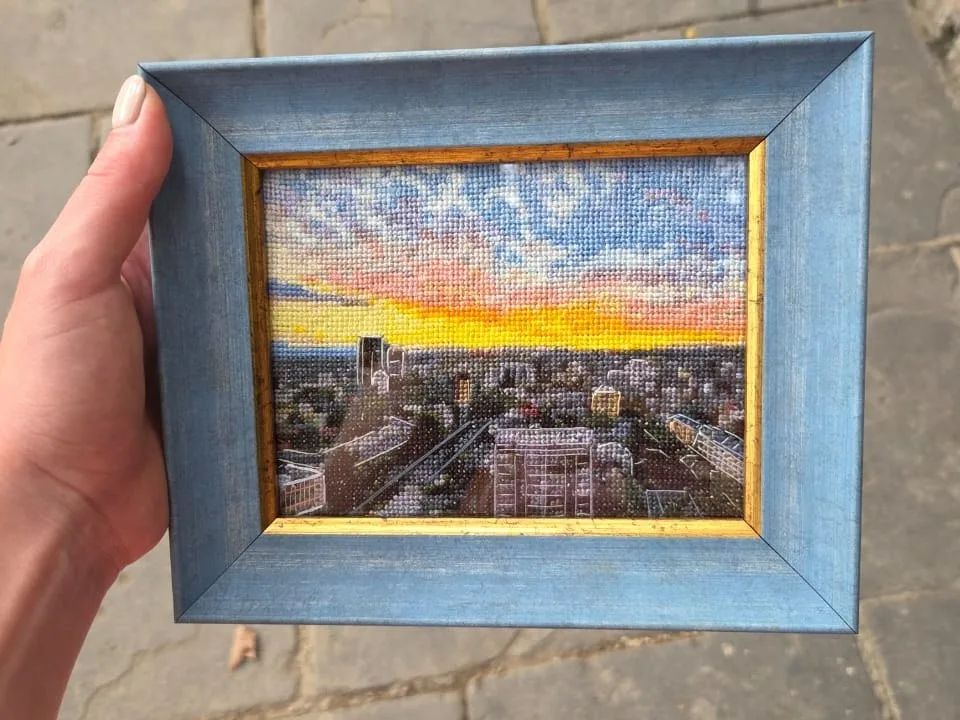
A friend of ours charted this sunset photo in Stitchmate and stitched it by hand.

Phone photo of a city at sunset, orange sky under gray-blue clouds
The photo
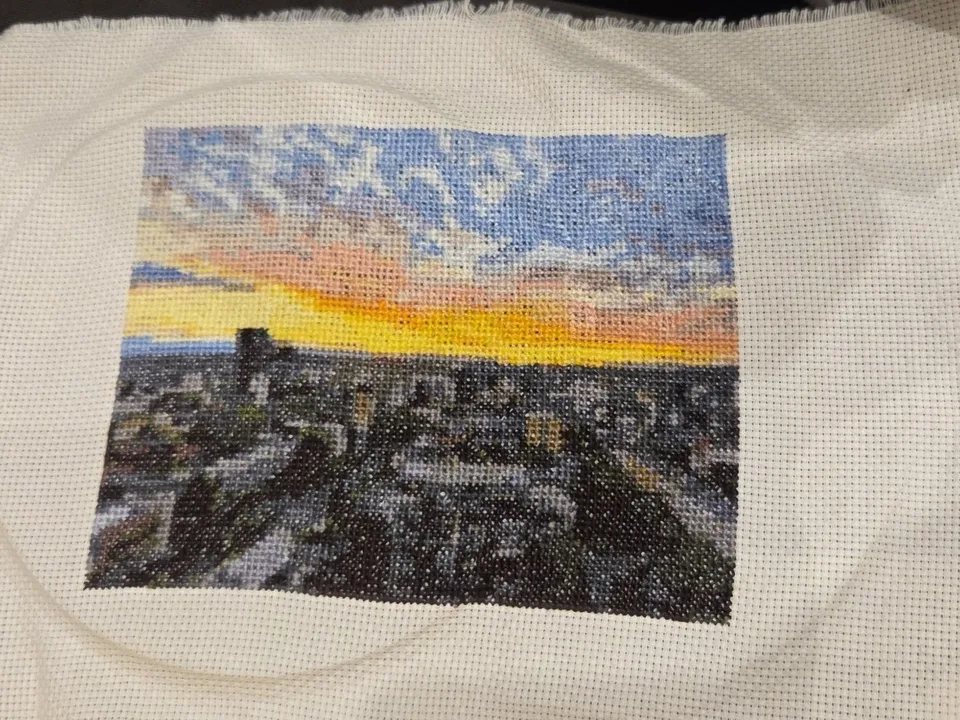
The same sunset cross stitched on white Aida fabric, just off the hoop
Off the hoop
The finished cross stitch sunset in a blue and gold frame, held in one hand
Framed

Sarah’s dragon

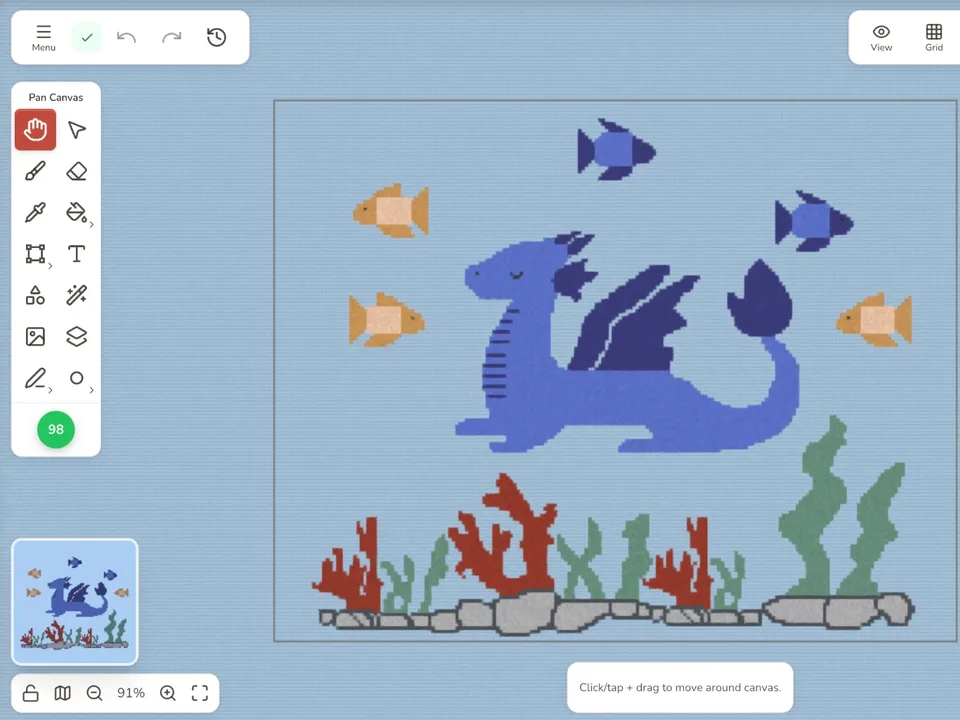
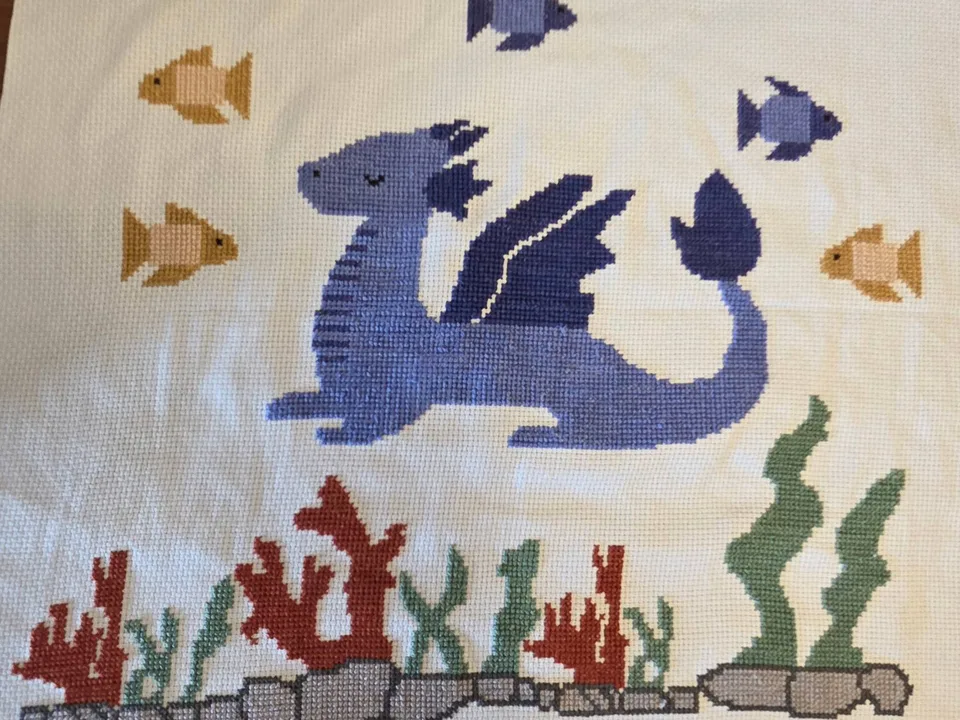
Sarah (@sarahjostitches) made this dragon pattern in Stitchmate and stitched it by hand.

The dragon pattern open in the Stitchmate editor: a blue dragon with fish, coral and rocks
In the editor
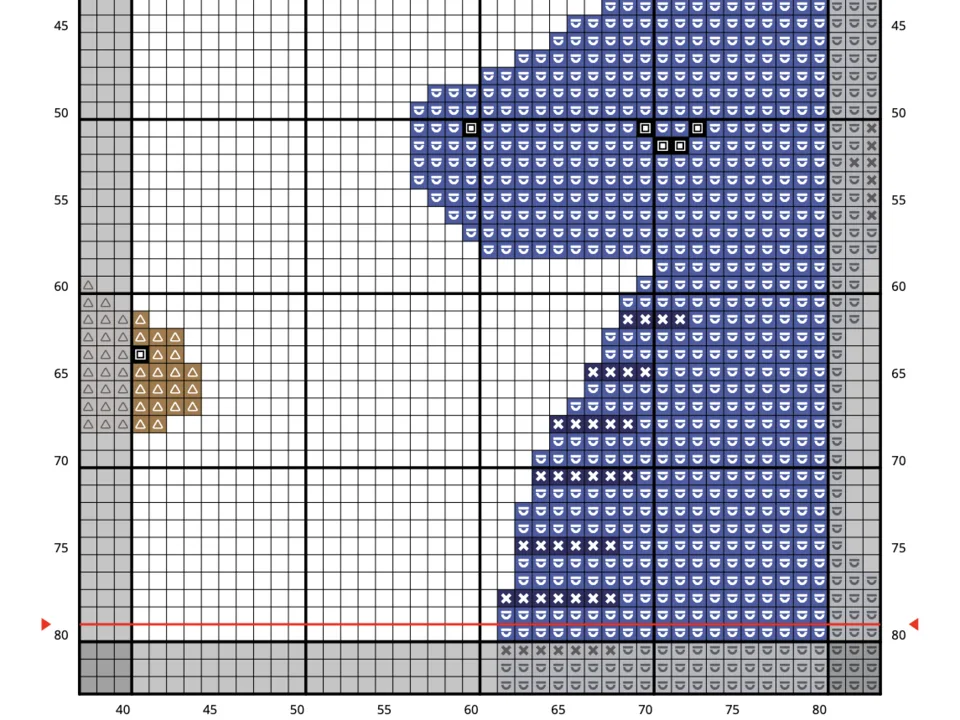
A page of the PDF chart: the dragon’s head in colored symbol squares on a numbered grid
The PDF chart
The finished cross stitch: a blue dragon among orange and blue fish, red coral and green seaweed on white fabric
Stitched

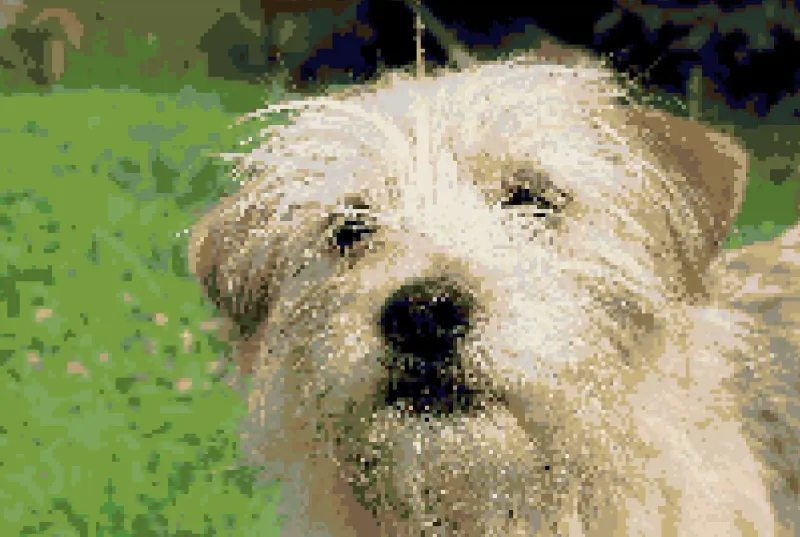
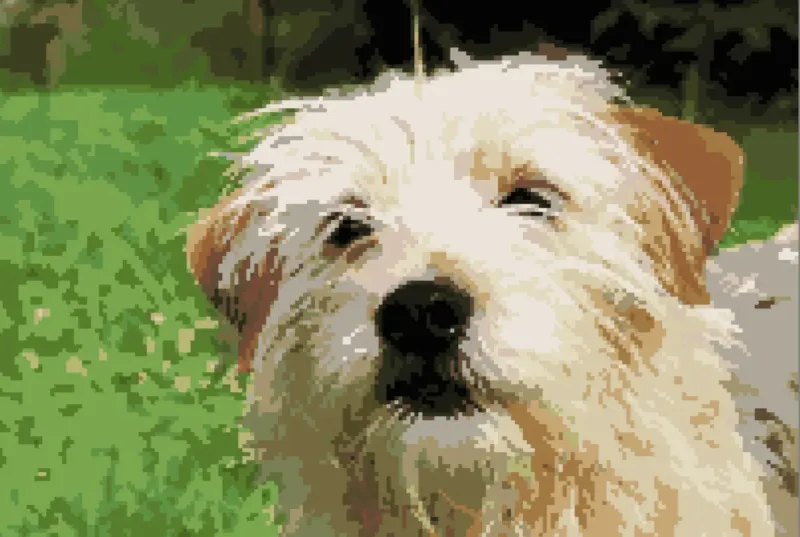
Same photo, 79% less confetti

Confetti is the scattered single stitches that mean a thread change every few squares. Same dog photo, 25 DMC colors, both tools at their defaults.

Dog portrait converted in StitchFiddle — 200×134, 25 DMC colors, canvas viewStitchFiddle
1,705confetti stitches
Dog portrait converted in Stitchmate — 200×134, 25 DMC colors, canvas viewStitchmate
350confetti stitches79% less confetti

Most converters pick a color per pixel. Stitchmate looks at how stitches sit next to each other, so you get blocks of thread instead of scattered singles and far fewer thread changes. How we measure confetti

From photo to printable chart in three steps

Nothing to install. The editor opens in your browser, on any device.

1

Upload or draw

Drop in a photo, a screenshot, or start from a blank grid. No account needed.

2

Adjust and preview

Pick your thread brand and color count, then watch the chart update. The FLOW Score rates how stitchable it is before you export.

3

Export and stitch

Download a printable PDF with symbols, thread legend, and stitch counts, or track your progress right in the app.

Stitchmate PDF export view showing page settings panel and a cross stitch pattern with symbols across multiple pages

Printable charts with symbols and thread key

Every PDF comes with a symbol chart, a thread legend with skein counts, and a Pattern Keeper version, in color and black and white. Then adjust any of 90+ settings, down to every text label.

  • Write your own instructions page, with placeholders that fill themselves in
  • Color, black-and-white, and Pattern Keeper PDFs in one download
  • Create chart PDFs in 15 languages
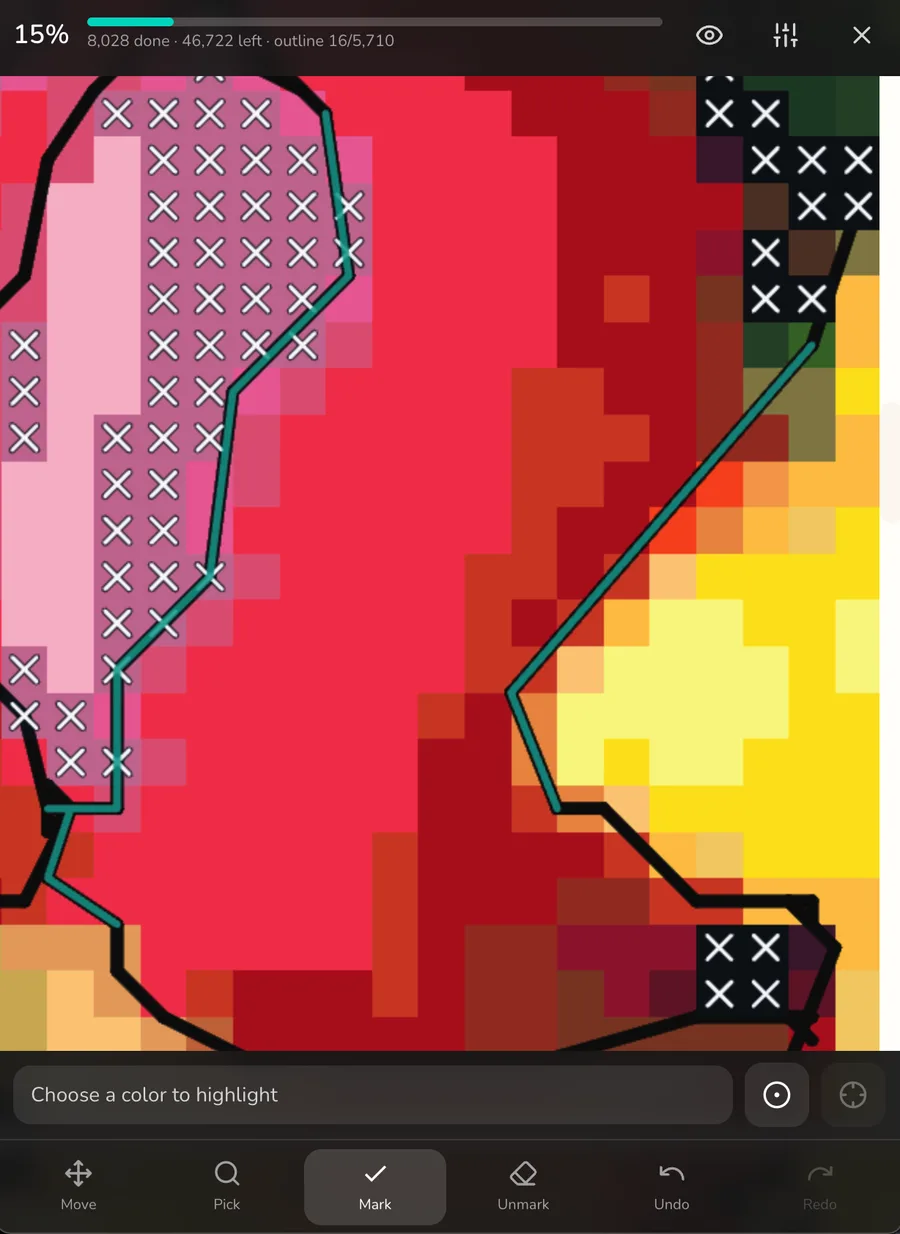
Stitchmate progress tracker on a phone: 15% done, 8,028 stitches marked, backstitch outline in teal, Mark and Unmark toolbar

The progress tracker on a phone, in dark theme.

Mark off stitches as you go. Free, on any device.

Open any pattern in the tracker and the chart becomes a checklist. Mark stitches as you work, highlight the color in your needle, and see how many evenings are left. Sign in and your progress syncs between your phone and your laptop.

  • Mark by tap or drag, with undo and a separate unmark tool
  • Backstitch tracked per segment, plus parking and frog marks
  • Works for all five crafts, in light or dark theme
See the progress tracker
“Easy to use, switches between tablet, phone, laptop easily. Patterns easy to create and download.”
Vanessa
Early access

Bought a PDF pattern? Track it here.

Bring the chart PDF you already own. Stitchmate reads the chart and its key, checks the result against the stitch counts the key prints, and turns it into a pattern you can mark off stitch by stitch on your phone, tablet, or computer. It reads charts drawn with symbols; scanned pages aren't supported yet. Free during early access.

Open a PDF pattern
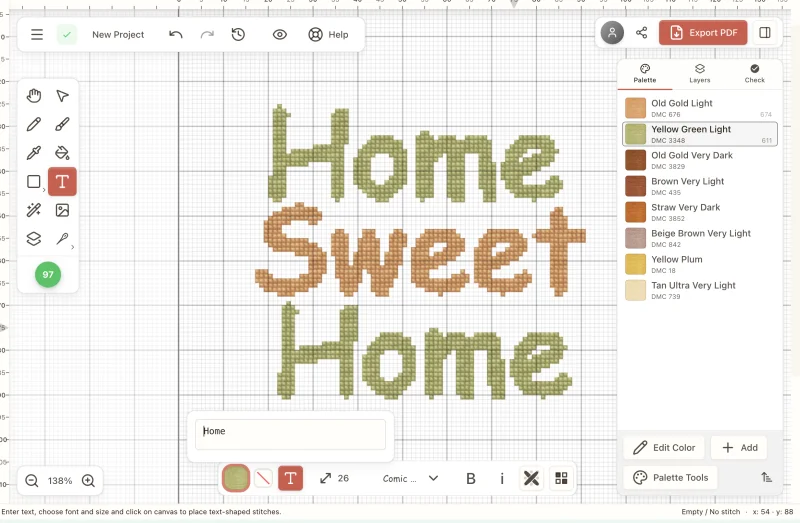
Stitchmate text tool showing 'Home Sweet Home' cross stitch lettering with DMC thread palette

Add a name, a date, or a whole alphabet

The free cross stitch text generator charts any name, date, or quote in 48 stitch-friendly fonts and prints an A–Z sheet for each one. Each letter maps cleanly to the grid, so what you see is what you'll stitch. Inside the editor, the same fonts add lettering to any pattern for samplers, wedding gifts, or bookmarks.

Open the text generator
Supports all major embroidery floss brands
For pattern sellers

Selling your patterns on Etsy?

Spend your time designing, not fighting your software. Brandless PDF exports, commercial licensing, one-click confetti cleanup, and Pattern Keeper compatible charts your buyers can actually use.

See the Plus Pass

Coming from PCStitch or WinStitch?

Stitchmate is counted cross stitch software that runs in the browser, so it works the same on Mac, Windows, iPad, iPhone, Android, and Chromebook. It does the job of older desktop programs like PCStitch (Windows-only) and WinStitch/MacStitch: design, edit, and export charts with symbols, thread legends, and stitch counts. If you'd rather keep your files on your own computer, the desktop app is the same editor and saves local .stitchmate files.

It's also a free stitch maker, and it does things older cross stitch programs never did: a FLOW Score for how stitchable a chart is, one-click confetti cleanup, and switching a chart between 60+ floss brands, including DMC, Anchor, Cosmo, and Madeira.

Compare Stitchmate to PCStitch, WinStitch, StitchFiddle, and FlossCross →

What it costs

Designing, editing, and tracking your progress are free forever. You pay only when you want a printable PDF.

4.3/5from 646 stitchers“I love the PDFs it creates.” — Vermont Stitchy Co

Free

$0forever

No account, no download, no time limit.

  • No sign-up needed to start
  • Keep up to 10 patterns at a time (unlocked ones don't count)
  • Free PNG exports
  • PDF preview
  • Progress and stash tracking, synced across devices
Start creating

Bought something already? See billing help

When you want the printable PDF

Personal Pass

Export all you like

Best when you're stitching through a stack of patterns and want every PDF unlocked.

$99once

One payment, unlimited exports for life

  • Everything in Free, and:
  • Every pattern unlocked while active
  • Unlimited PDF exports
  • Patterns you unlocked stay unlocked if it ends
  • Personal projects only
  • Mac and Windows desktop app, works offline

For your own projects. Selling needs a Plus Pass.

Plus Pass

Most complete

Everything Stitchmate can do

Your own name on the PDF, a commercial license, and support that answers you first.

$149once

One payment, everything for life

  • Everything in Personal, and:
  • Your name, logo and watermark on the PDF, no Stitchmate footer
  • Your own cover and back pages
  • Commercial license, if you sell what you make
  • Every version of a pattern in one ZIP
  • Priority support: your messages are answered first
  • Mac and Windows desktop app, works offline

14-day money-back guarantee. Selling? Read the license terms

14-day money-back guarantee

One purchase, every device

Actively developed — last update . See what's new →

One-time payments, not subscriptions. Taxes (e.g. VAT, GST, or sales tax) may apply depending on your location. Pricing FAQ →

Buying for someone else?

Gift Stitchmate

Frequently asked questions

How does Stitchmate compare to other cross stitch software?

Stitchmate is a browser-based alternative to desktop programs like PCStitch (Windows-only, last updated 2016) and WinStitch/MacStitch ($52–$72, native apps). It also competes with web-based tools like StitchFiddle and FlossCross. Key differences: in a side-by-side test at default settings, Stitchmate left 79% fewer confetti stitches than StitchFiddle. It also includes a FLOW Score for measuring pattern quality, exports Pattern Keeper compatible PDFs, and runs on Mac, Windows, iPad, and Chromebook with no download (lifetime passes also include a Mac and Windows desktop app that works offline). The editor and all tools are free for up to 10 patterns at a time. You pay only when you export the printable PDF.

What's the best cross stitch software for beginners?

For beginners, the most important features are real-time preview (so you see the pattern before committing), honest time estimates, and a stitchability score. Stitchmate is free to start, runs in your browser with no download, and shows a FLOW Score that predicts how satisfying the pattern will be to stitch. Start with a pattern under 100×100 stitches and 15–20 colors on 14-count Aida.

Is there a free cross stitch pattern maker?

Yes. Stitchmate is free and runs in your browser. Convert photos, design patterns from scratch, and preview PDF exports without paying or creating an account. The free plan keeps up to 10 patterns at a time, and downloading the final printable PDF is the one thing you pay for. Try the free cross stitch pattern maker.

Does Stitchmate use AI to make patterns?

No. The photo converter isn't generative AI and doesn't invent anything. It resizes your photo to the stitch grid, matches each area to real thread colors (DMC, Anchor, and the rest of our 60+ brands), and cleans up confetti with ordinary color math that runs on your device. Your photos aren't used to train anything. Two optional helpers do use small machine-learning models, both running in your browser: the remove-background tool, which cuts the subject out of a photo, and a safety filter that checks exports for adult content. Neither one draws your pattern.

What's the best cross stitch app?

It depends on whether you're designing a pattern or stitching one. For designing, Stitchmate handles photo conversion, pattern design, and PDF export in one place. It runs on Mac, Windows, iPad, and Android with no download required, supports 60+ embroidery floss brands, and exports Pattern Keeper compatible charts. For stitching, its progress tracker is free and marks off stitches on your phone or tablet.

Can I add custom text, names, and letters to a pattern?

Yes. The editor's text tool lets you type any name, date, quote, or custom message and render it in stitch-friendly fonts, and each letter maps cleanly to the grid. Use it for personalized gifts, samplers, monograms, or bookmarks. For a name, a word, or an A–Z alphabet sheet on its own, use the free cross stitch text generator. Browse all 48 built-in fonts.

Can I make a cross stitch pattern from a photo or picture?

Yes. Upload any photo, picture, or image and Stitchmate converts it into a counted cross stitch pattern. Adjust the size, number of colors, and thread brand, and see the result update in real time before you commit.

What is counted cross stitch?

Counted cross stitch is a form of embroidery where you follow a charted pattern on even-weave fabric, counting stitches rather than tracing a printed design. Stitchmate generates the symbol charts, thread legends, and stitch counts you need to work from.

Can I create free cross stitch templates?

Yes. You can create and edit cross stitch pattern templates for free. Start from a blank grid or convert any photo. The editor, all design tools, and PDF preview are free for up to 10 patterns at a time. You pay only to download the final PDF.

Does Stitchmate work on Mac, iPad, and Android?

Yes. Stitchmate is a cross stitch app that runs in modern browsers on Mac, Windows, iPad, iPhone, Android, and Chromebooks, with no install or download required. If you want an app that works offline, a lifetime pass includes the Stitchmate desktop app for Mac and Windows.

Are the charts compatible with Pattern Keeper?

Yes. Stitchmate's PDFs are Pattern Keeper TESTED. Pattern Keeper can't show every partial stitch or backstitch, so before you download, Stitchmate tells you exactly how many it will leave out. If a chart ever doesn't import cleanly, tell us and we'll fix it.

What thread brands do you support?

DMC, Anchor, Madeira, Cosmo, JP Coats, and more: 60+ embroidery floss brands. You can switch brands, find substitutes for discontinued colors, or build a custom palette using threads you already own.

Can I sell patterns I create?

Yes. Patterns you make are yours to stitch and gift. To sell them, the Plus Pass ($24.99 for 30 days or $149 lifetime) adds a commercial license and brandless PDFs. See selling patterns with Stitchmate for full pricing and license details.

What is a stitch maker or cross stitch program?

A stitch maker (or cross stitch program) is software for designing counted cross stitch patterns: placing stitches on a grid, choosing thread colors, and exporting a printable chart with symbols and a thread legend. Stitchmate is an online stitch maker that does all of this in a browser, with photo conversion, confetti cleanup, and Pattern Keeper compatible PDF export. Designing is free; the printable PDF is $7.99.

Can I make needlepoint patterns with Stitchmate?

Yes. Stitchmate has a dedicated needlepoint mode: charts render as true tent stitches on a canvas grid, sizing works in mesh count (10 to 28 mesh), petite stitches handle fine detail, and the thread library includes Appleton wool alongside DMC. Exports say canvas and mesh, not fabric and count.

Can I convert a cross stitch chart to needlepoint?

Yes. Whole-stitch cross stitch charts convert cleanly to needlepoint. Open or import a pattern, switch the craft to needlepoint, and the chart re-renders in tent stitch with mesh-count sizing. The conversion guide covers the whole-stitch rule and Aida-to-mesh sizing.

See all frequently asked questions →

See how your photo converts

About 30 seconds to know whether it's worth forty hours. Everything up to PDF export is free, no account needed.

4.3/5from 646 stitchers“I don't have to fiddle with it for hours to get what I want!” — Evelyn