Stitchmate vs Pic2Pat
Pic2Pat is one of the oldest free photo converters: pick a photo, tune it with a live preview, choose a palette, count and size, and download a PDF, with no account and no cost. Stitchmate treats conversion as the first step: a live preview, confetti cleanup and a full editor with 70+ thread brands and backstitch, then a Pattern Keeper-compatible PDF for a one-time price. If Pic2Pat's chart is the one you want, free is hard to beat.
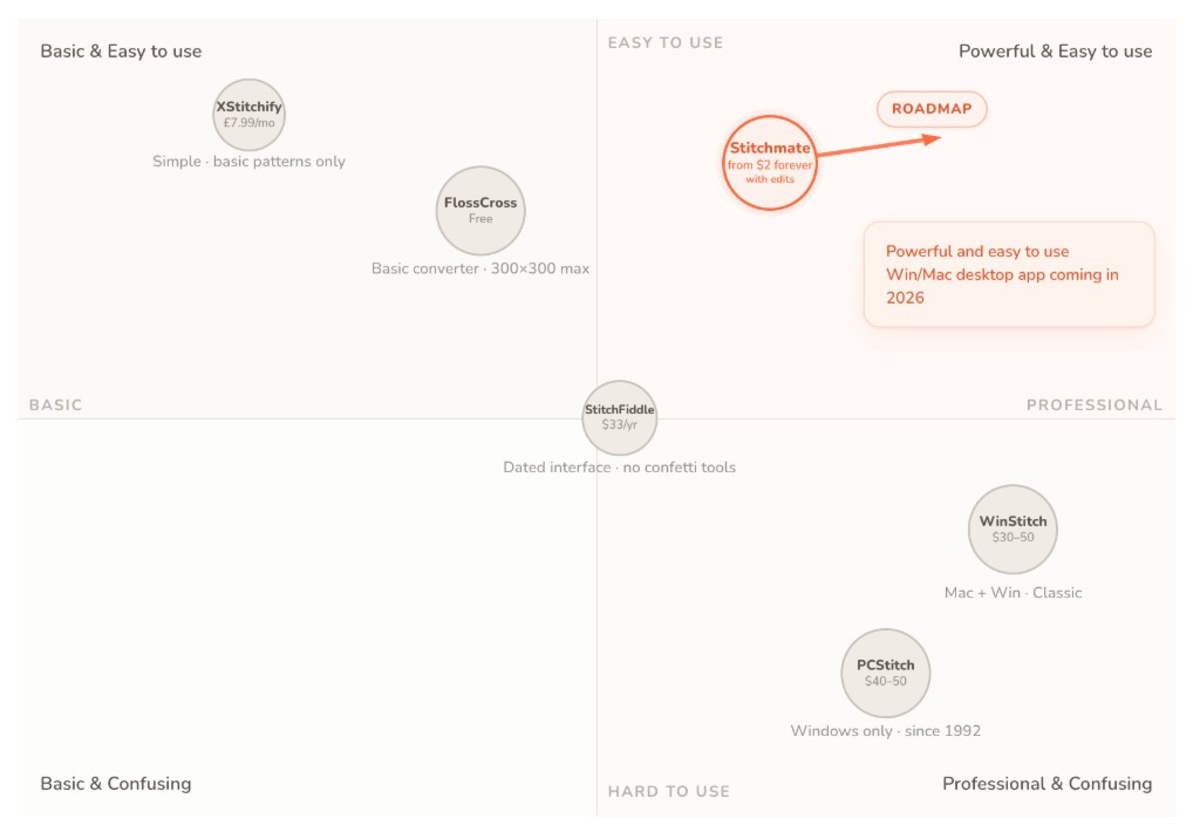
The short version
Short on time? Here's where each one wins.
Choose Pic2Pat if you…
- Want a PDF chart from a photo in a few minutes, for free, with no account
- Only need to repair a few stitches, not add backstitch or rework the chart
- Want a live kit price while you adjust, and to order the floss and fabric as a kit in one click
- Stitch with DMC, Anchor, Madeira, Venus, Cosmo or Sullivans
- Prefer the site in your own language (20 are available)
Choose Stitchmate if you…
- Want to rework the chart: clean up confetti, select and repaint an area, change a color everywhere
- Need backstitch, French knots or half and quarter stitches, which a photo converter can't add
- Want a live preview while you adjust colors and size, and a FLOW score before you commit
- Use hand-dyed or specialty threads, or want to remap a pattern between 70+ brands
- Also work in needlepoint, diamond painting, C2C crochet or fuse beads
Feature by feature
Platform & access
Both run in the browser with nothing to install and no account needed to convert. The big differences are price and what you keep: Pic2Pat is free and keeps one pattern in your browser until you pick a new photo; Stitchmate keeps a library of patterns you can reopen and change.
| Feature | Stitchmate | Pic2Pat |
|---|---|---|
| Platform | Any browser (Windows, Mac, Linux, Chrome OS, iPad) | Any browser |
| Account needed | — No | — No |
| Cost of a printable chart | $5.99 per pattern (less in packs or with a Pass) | Free (funded by its floss and fabric kits) |
| Crafts | Cross stitch, needlepoint, diamond painting, C2C crochet, fuse beads | Cross stitch (plus a diamond painting palette mode and Ministeck) |
| Max pattern size | 2000 × 2000 stitches | Up to 1000 × 1000 stitches |
| Site languages | 15 languages | 20 languages |
| Save and reopen patterns | ✓ (pattern library; syncs when signed in) | — (you keep the PDF; one pattern stays in your browser until you pick a new photo) |
| Open existing pattern files | ✓ (.PAT, .OXS, .XSD) | — |
| Progress tracker | ✓ (free on every pattern) | — (use Pattern Keeper with the PDF) |
Photo conversion
Both let you steer the conversion and show the result live. Pic2Pat stops at whole-picture adjustments and hand repairs; Stitchmate adds automatic confetti cleanup.
| Feature | Stitchmate | Pic2Pat |
|---|---|---|
| Where the photo is processed | On your device; the photo is not uploaded | On your device; the photo is not uploaded |
| Live adjustments | Colors, size and detail, with a live preview | Color flow, contrast, brightness, white balance and saturation, with a live preview |
| Choosing colors | Set the count yourself (up to 256), with a live preview | Set the count yourself (up to 150), with a live preview |
| Crop and background removal | ✓ | — (no crop; transparent parts of a photo stay unstitched) |
| Color styles | ✓ (B&W, sepia, duotone, tritone, custom palettes) | Grayscale, sepia, diamond painting palette |
| Confetti cleanup | ✓ (automatic, adjustable strength, global or brush-targeted) | — |
| FLOW score | ✓ (0–100 stitchability score) | — |
| Pixel art mode | ✓ (1:1 pixel-to-stitch) | Not documented |
| Skein counts and cost | ✓ (skein estimates in the PDF) | ✓ (skeins in the PDF, a live kit price while you adjust) |
Thread support
Pic2Pat covers the mainstream floss brands and lets you switch between them while you adjust the pattern. Stitchmate covers 70+ and can switch a finished pattern to another brand.
| Feature | Stitchmate | Pic2Pat |
|---|---|---|
| Thread brands | 70+ (DMC, Anchor, Cosmo, Madeira, Sullivans, and more) | 7 (DMC, Anchor, Madeira, Venus, Cosmo, Sullivans, Ministeck) |
| Hand-dyed threads | ✓ (Weeks Dye Works, Classic Colorworks, The Gentle Art, and more) | — |
| Change brand after converting | ✓ (1-click remap across all 70+ brands) | ✓ (among its 7 palettes, while you adjust; painted stitches are removed) |
| Blended threads | ✓ (multi-strand blends, in the legend too) | — |
| Buy the threads for your pattern | — | ✓ (order the floss and fabric as a kit, now or later via the QR code on the pattern) |
Editing tools
This is the real divide. Pic2Pat's Modern mode has repair tools for fixing a pattern before you download it, but no layers, selections or fractional stitches, and a new size removes your repairs. Stitchmate opens the converted chart in a full editor.
| Feature | Stitchmate | Pic2Pat |
|---|---|---|
| Edit individual stitches | ✓ | ✓ |
| Drawing tools | ✓ (brush, fill, line, shape, gradient) | ✓ (pencil, brush, fill, eraser) |
| Selection tools | Rect, lasso, magic wand, transform | — |
| Layers | ✓ | — |
| Text tool | ✓ (cross stitch fonts + any system font, editable on the grid) | ✓ (several sizes, any alphabet, bold and italic) |
| Undo / redo, auto-save | ✓ | ✓ (undo, no redo listed; repairs auto-save in your browser) |
Stitch types
A photo converter can only produce full cross stitches. The details that make a pattern look finished, like outlines, fine features and French knot eyes, come from editing.
| Feature | Stitchmate | Pic2Pat |
|---|---|---|
| Full cross stitch | ✓ | ✓ |
| Half stitch | ✓ | — |
| Quarter and three-quarter stitch | ✓ | — |
| Petite stitch | ✓ | — |
| Backstitching | ✓ (any angle) | — |
| French knots | ✓ | — |
Export options
Both produce PDFs that Pattern Keeper reads; Pic2Pat is on Pattern Keeper's own list of well-supported designers. Stitchmate adds editable and image formats.
| Feature | Stitchmate | Pic2Pat |
|---|---|---|
| PDF chart | ✓ (paid options) | ✓ (free, color or black and white) |
| Pattern Keeper compatible | ✓ (all paid options) | ✓ |
| PNG / image export | ✓ (free) | — |
| SVG export | ✓ (paid options) | — |
| Editable pattern file (.OXS) | ✓ | — |
| Custom branding on PDF | ✓ (logo, QR code, socials; brandless on Plus Pass) | — (Pic2Pat header on the pages) |
| Commercial license | ✓ (Plus Pass) | Not documented |
Pricing
Pic2Pat is free: conversion and the PDF download cost nothing, and the site earns from its floss and fabric kits. Stitchmate is free for converting and editing and charges only for the printable PDF, with one-time payments that do not renew. Pic2Pat details are from pic2pat.com on 2026-11-01.
| Option | Stitchmate | Pic2Pat |
|---|---|---|
| Free tier | ✓ (full editor, every stitch type, PNG export, progress tracker) | ✓ (everything, including the PDF) |
| 1 pattern | $5.99 (PDF unlock forever, with edits) | Free |
| Packs | $12 for 5, $20 for 10 ($2 per pattern, never expire) | — |
| 30-day pass | $14.99 Personal / $24.99 Plus (one-time, does not renew) | — |
| Lifetime | $99 Personal / $149 Plus | — |
| Commercial license | Plus Pass (any duration) | Not documented |
How they compare in practice
These two tools answer different questions. Pic2Pat answers "what would this photo look like as a chart?" in a few minutes, for free. Stitchmate answers "how do I turn this photo into a chart I'll enjoy stitching?"
Pic2Pat has been doing its job since 2009, and it does it well for what it is. You pick a brand, fabric count, size and color count and tune the picture while you watch, with a live price for the floss and fabric kit. Repair tools fix stray stitches, and you can start from an empty canvas instead of a photo. The PDF has symbols Pattern Keeper can read, and you can order the kit with one click. For a simple image, or a first look at a photo, that is often enough.
Stitchmate goes further once the photo is converted. The photo converter runs on your device and updates the preview as you change colors, size and detail. Then confetti cleanup removes the scattered single stitches that make photo conversions tedious, and the FLOW score tells you how the pattern will feel to stitch before you buy a skein.
Editing is the real difference
Photos rarely convert perfectly: an eye turns into a patch of five browns, a background picks up stray specks, a face needs an outline to read at 14 count. With Pic2Pat you can tune the whole image and repair stitches by hand with its pencil, brush and eraser, but it has no confetti cleanup listed, no layers and no fractional stitches. In Stitchmate you fix them in a full editor, add backstitch and fractional stitches, and export a clean chart.
On price, Pic2Pat wins outright: its chart is free. Stitchmate is free until you want the printable PDF, then $5.99 for a pattern or $2 each in a 10-pack. The question is whether the cleanup and editing are worth that to you for a given photo. For a quick experiment they may not be; for a portrait you'll spend 80 hours stitching, they usually are.
A good way to use both
Run your photo through Pic2Pat to get a feel for sizes and color counts, then open the same photo in Stitchmate and compare the confetti. Keep whichever chart you would rather stitch.
Looking for a Pic2Pat alternative?
If you like the speed of a photo converter but keep wishing for layers, backstitch and fractional stitches, Stitchmate covers the same first step and everything after it.
The best way to compare? Try both.
Pic2Pat is free, and Stitchmate is free to convert and edit. Run the same photo through each and see which chart you'd rather stitch.
Works in the browser on a phone, tablet or computer. Nothing to install.
Frequently asked questions
What is Pic2Pat?
Pic2Pat (pic2pat.com) is a free online converter from the Netherlands that turns a photo into a cross stitch chart. You pick a photo (it stays on your device), choose a thread brand, fabric count and size, tune the look with a live preview (color flow, contrast, brightness, white balance and saturation), set the color count, fix stray stitches with its repair tools, and download a PDF. A Classic mode makes a pattern in one go. It has been online since December 2009 and is available in 20 languages.
Is Pic2Pat really free?
Yes. Converting a photo and downloading the PDF chart are free, with no account and no watermark. Pic2Pat earns from the floss and fabric kits you can order with the pattern.
What's the main difference between Stitchmate and Pic2Pat?
What you can do after the conversion. Pic2Pat lets you tune the whole picture while you watch the preview (color flow, contrast, brightness, white balance and saturation) and repair stitches with a pencil, brush, fill and eraser, but it has no confetti cleanup listed, no layers or selections, and full cross stitches only. Stitchmate also converts the photo on your device with a live preview, then cleans up confetti, scores the result with a FLOW score, and opens it in a full editor with fractional stitches, backstitch and French knots.
Does Pic2Pat work with Pattern Keeper?
Yes. Pic2Pat is on Pattern Keeper's list of well-supported designers, because its PDFs store symbols as text. Stitchmate's PDFs are also Pattern Keeper compatible in every paid option.
Which thread brands does Pic2Pat support?
Seven palettes: DMC, Anchor, Madeira, Venus, Cosmo, Sullivans and Ministeck (mosaic pieces). You can switch palette while you adjust the pattern. Stitchmate ships 70+ thread brands, including hand-dyed lines, and can remap a finished pattern from one brand to another in one click.
Can Pic2Pat do backstitch or half stitches?
No. Pic2Pat charts use full cross stitches only. Stitchmate supports half, quarter, three-quarter and petite stitches, backstitch at any angle and French knots, all free in the editor.
Does Pic2Pat upload my photo?
No. Pic2Pat keeps your photo on your own device, and so does Stitchmate, which converts the photo in your browser. On privacy the two tools are the same: neither needs your photo to leave your device.
Why pay for Stitchmate when Pic2Pat is free?
If Pic2Pat's chart is exactly what you want to stitch, you shouldn't. Stitchmate is free for converting and editing and charges only for the printable PDF ($5.99 per pattern, or less in packs). What you pay for is the deeper editing: confetti cleanup, selections and layers, and the backstitch and fractional stitches a photo can't give you.
Published by Stitchmate, one of the tools compared. Last updated Nov 1, 2026; competitor details are checked against each vendor's own site.
Noticed a wrong fact? Please let me know and I’ll correct it.
Actively developed · 85 updates in the past year, most recently . See what's new →