Stash tracker
Thread inventory and stash tracker for cross stitch
See what you already own for any pattern, and what you still need to buy. Free.
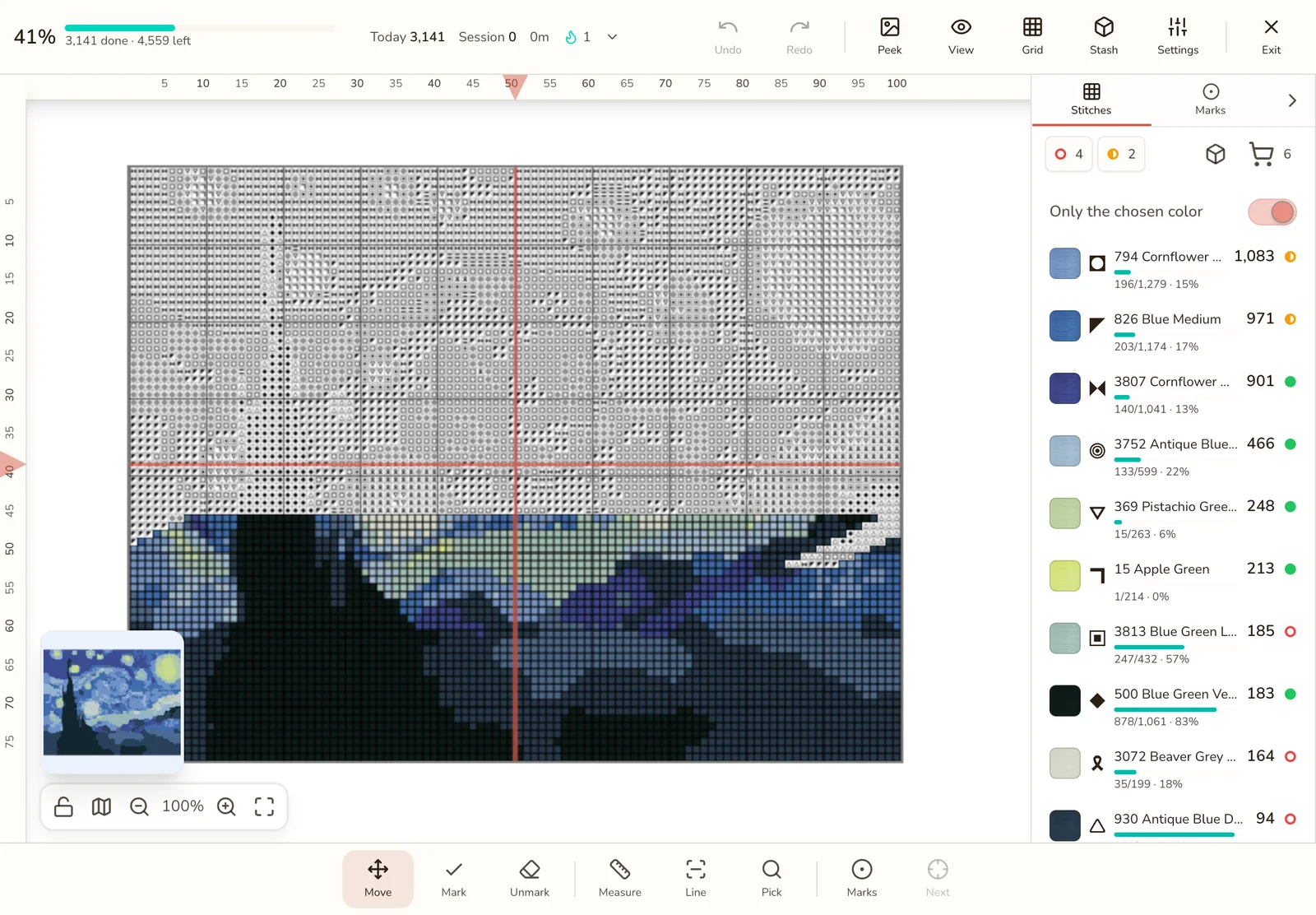
A sample project at 41%: 4 colors missing, 2 short, 6 skeins to buy.
The Stitchmate stash tracker is a free tracker for the thread you own, and it runs in your browser. Record your skeins across 70+ floss brands, then turn it on for a pattern to see which colors you have enough of, which are short or missing, and how many skeins to buy.
Enough, short, or missing, for the pattern in front of you
Your stash matters most when you're holding a chart. Switch on Track my threads for a project and every color gets a mark, worked out from the stitches you still have to do. The skein math is the same one behind the thread key on your PDF.
| Mark | When a color gets it | What to buy |
|---|---|---|
| Enough | You own at least what's left to stitch, or you own it and haven't set an amount | Nothing |
| Short | You own some, but less than what's left to stitch | The difference, rounded up to whole skeins |
| Missing | It isn't in your stash, or its amount is 0 | All that's left to stitch, rounded up to whole skeins |
Blends and custom colors have no single thread to own, so they don't get a mark.
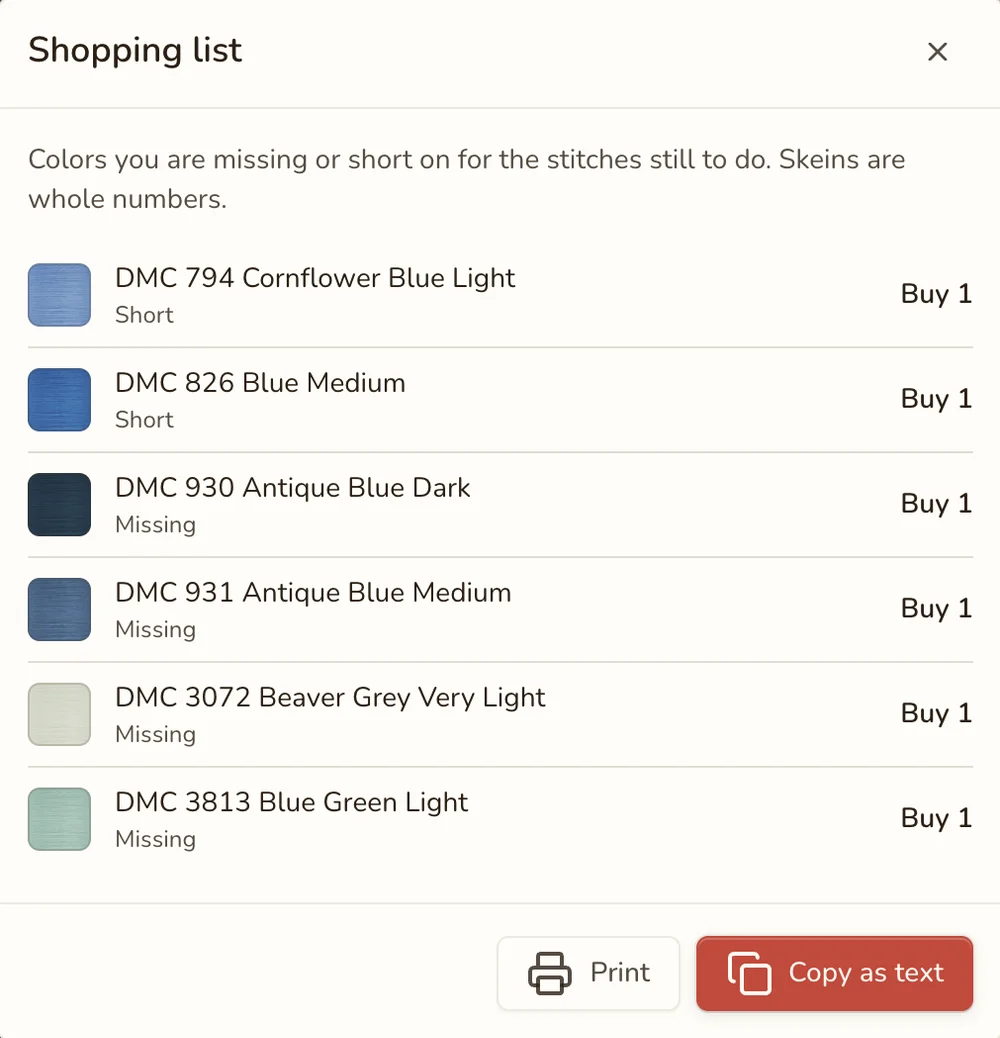
Take a shopping list to the shop
The short and missing colors become a list, with each thread's code, name, and the whole skeins to buy. Copy it as text for an online order, or print it with boxes to tick as you go. You buy what this pattern needs, and you don't come home with a fourth skein of 310.
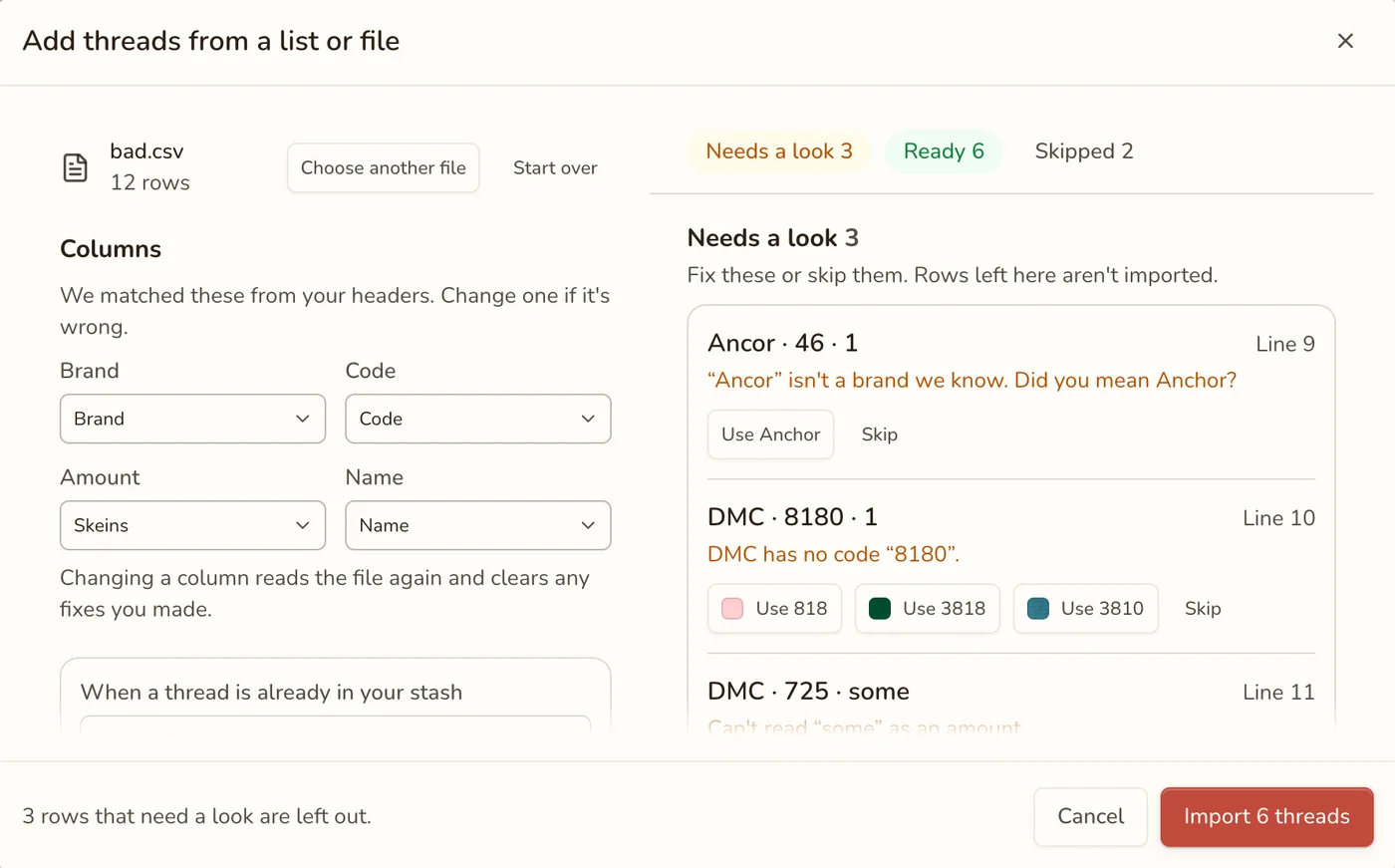
A file with mistakes in it. You see what will happen before anything changes.
Set up your thread inventory in minutes
You don't need to type in hundreds of rows by hand. Pick whichever of these suits you:
- Paste a list. One thread per line, like
310 2or666 1½. Rows copied from a spreadsheet work too. - Import a CSV. Stitchmate matches your columns and sorts every row into Ready, Needs a look, or Skipped, with a suggestion when it spots a typo.
- Add as you go. Type a code when you buy a skein, or mark chart colors you own.
Starting from nothing? Download the DMC spreadsheet. It lists every DMC color
with no in the Amount column. Type the skeins you own over it, or x if you have a
color but haven't counted it. Rows left as no are skipped. Save it as a CSV and import it.
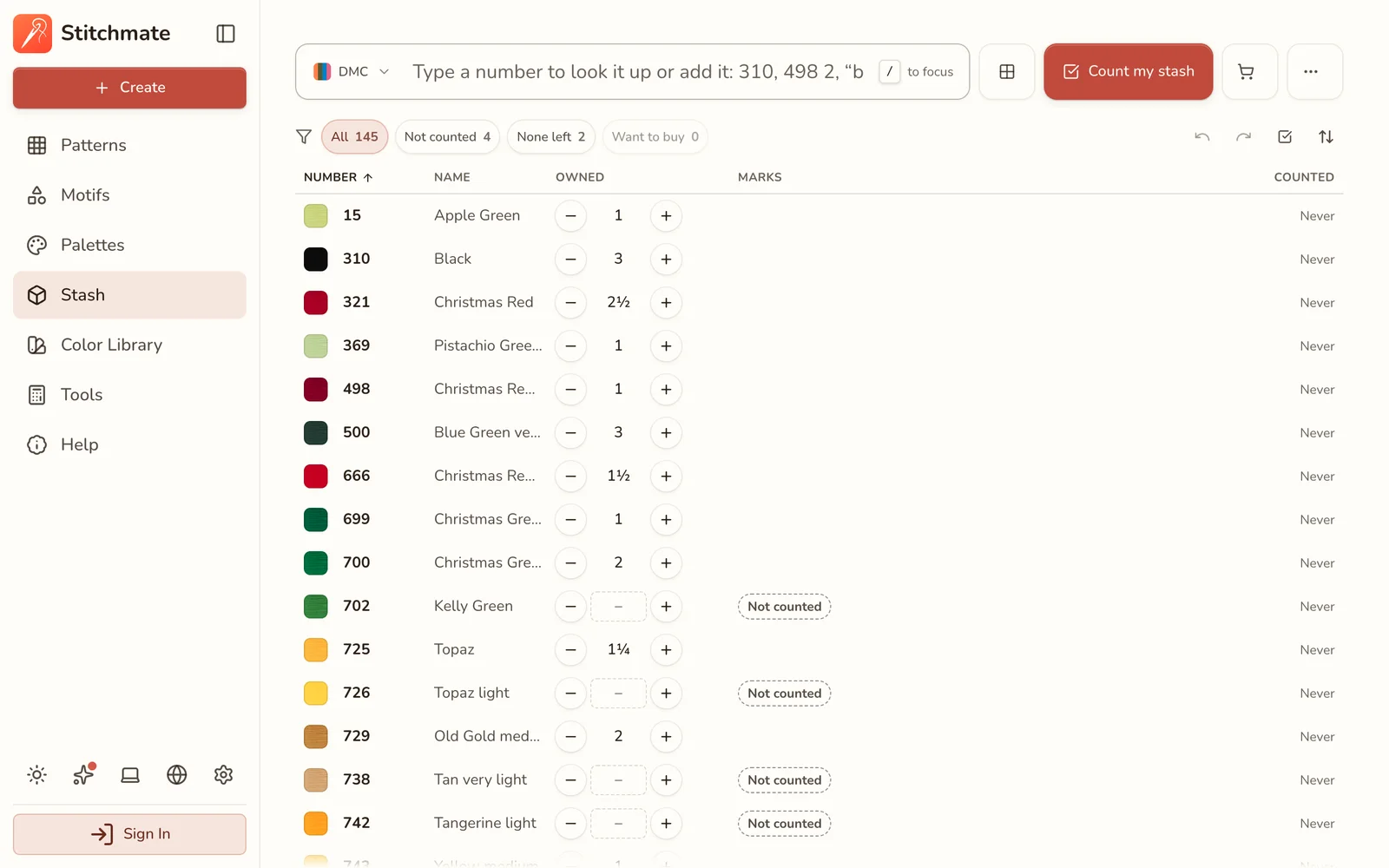
Count as much as you want to
Amounts are optional, and a thread with no amount counts as enough. If you own the whole DMC range, you can list it all and let the pattern check tell you nothing is missing. If you buy for each project, add threads as you get them and keep amounts for what's left over.
When you do want numbers, amounts go in quarter skeins. Count my stash walks you through one thread at a time and keeps your place if you stop.
What you need shrinks as you stitch
The check reads what's still to stitch in the progress tracker. Mark stitches and the need goes down, so a short color can turn to enough without you touching your stash.
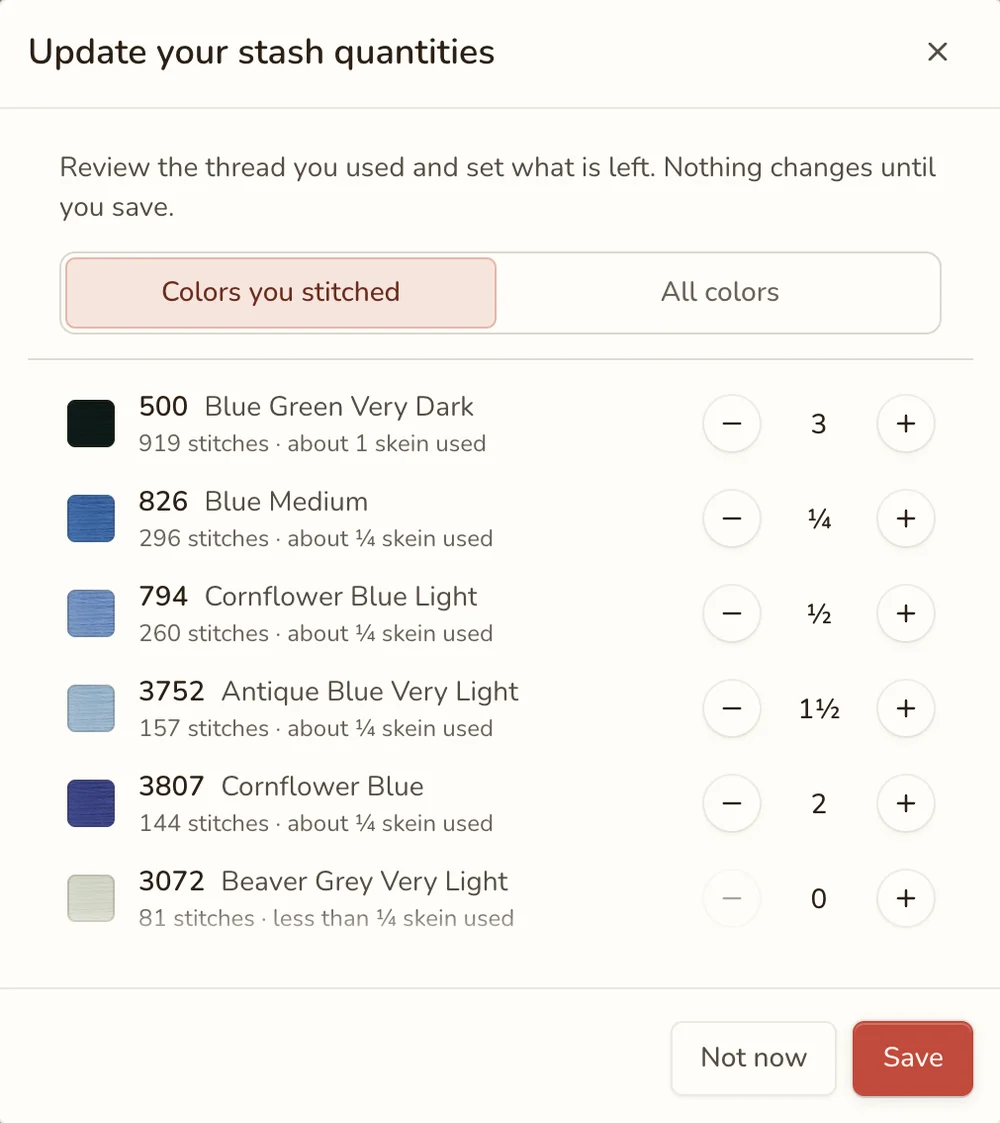
Your stash stays as you set it. When you leave the tracker, Stitchmate can show the colors you stitched with an estimate of the thread used, and you set what's left. Nothing changes until you save.
Convert a photo using only what you own
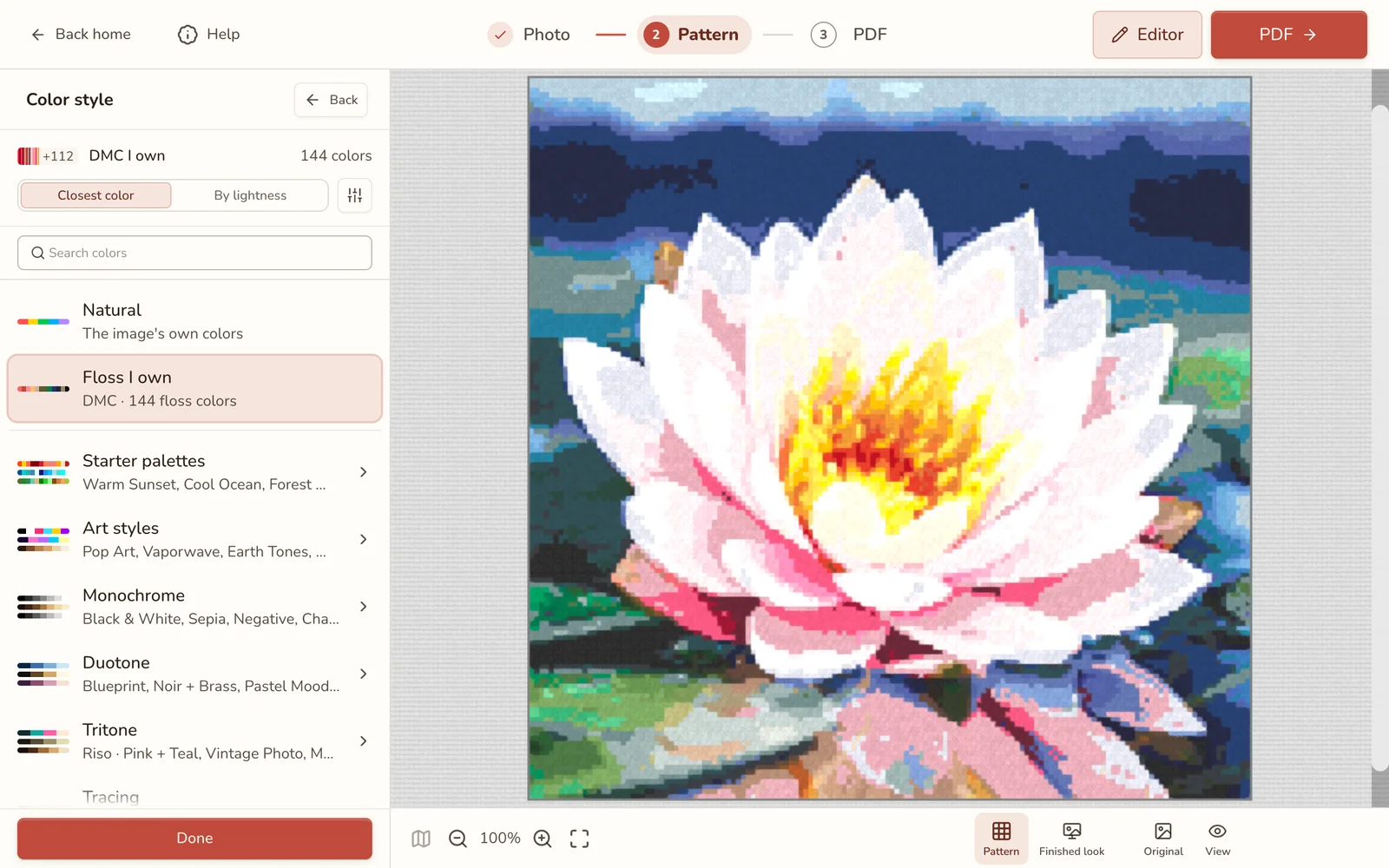
Stash the other way round: start from your thread. In the photo converter, open Color style and pick Floss I own. Every stitch then uses a thread you already have, so there's nothing to buy. The image import handbook walks through the rest of the converter.
What it doesn't do
- It doesn't take thread out of your stash as you stitch. You update your amounts yourself, and Count my stash makes it a breeze.
- It doesn't scan barcodes. Threads go in by code, paste, or file.
- It tracks thread only, not diamond painting drills, fuse beads, or fabric (yet).
Frequently asked questions
Is the stash tracker free?
Yes. Recording your thread, checking a pattern, the shopping list, and CSV import and export are all free, with no account needed. Without an account your stash stays in that browser. A free account adds sync.
Do I have to count every skein?
No. Amounts are optional. A thread with no amount counts as enough, so you can just list what you own and add numbers later, or only for the colors you're low on. Amounts go in quarter skeins when you want them.
Which brands does it cover?
It covers 70+ floss brands, including DMC, Anchor, Cosmo, and Madeira, and one stash can hold several brands. It tracks thread only, so diamond painting drills and fuse beads are not included.
Can I import my thread inventory spreadsheet?
Yes. Save it as a CSV or paste the rows in. Stitchmate matches your columns, then shows a preview of what's ready, what needs a look, and what it will skip, before anything changes. Starting from nothing? Use the DMC spreadsheet. You can export your stash to CSV too.
Does it update as I stitch?
The amount a pattern still needs goes down as you mark stitches. Your stash doesn't change on its own. When you leave the tracker, Stitchmate can list the colors you stitched with an estimate of the thread used, and you set what's left. Nothing changes until you save.
Does it work offline?
Not in the browser, which needs a connection to open. The Mac and Windows desktop app, included with a lifetime pass, works offline.
Does my stash sync between devices?
Yes, when you sign in with a free account. Your threads, amounts, and want-to-buy marks then follow you between your phone, tablet, and computer.
What's the app that keeps track of embroidery floss?
Stitchmate has a free stash tracker for embroidery floss that runs in a browser on any phone, tablet, or computer, with nothing to install. It records the skeins you own across 70+ brands and checks them against the pattern you are stitching.
Find out what you already own
Free, with no account needed. Sign in to sync.