Free pixel art to cross stitch converterTurn pixel art into a cross stitch pattern, one pixel per stitch
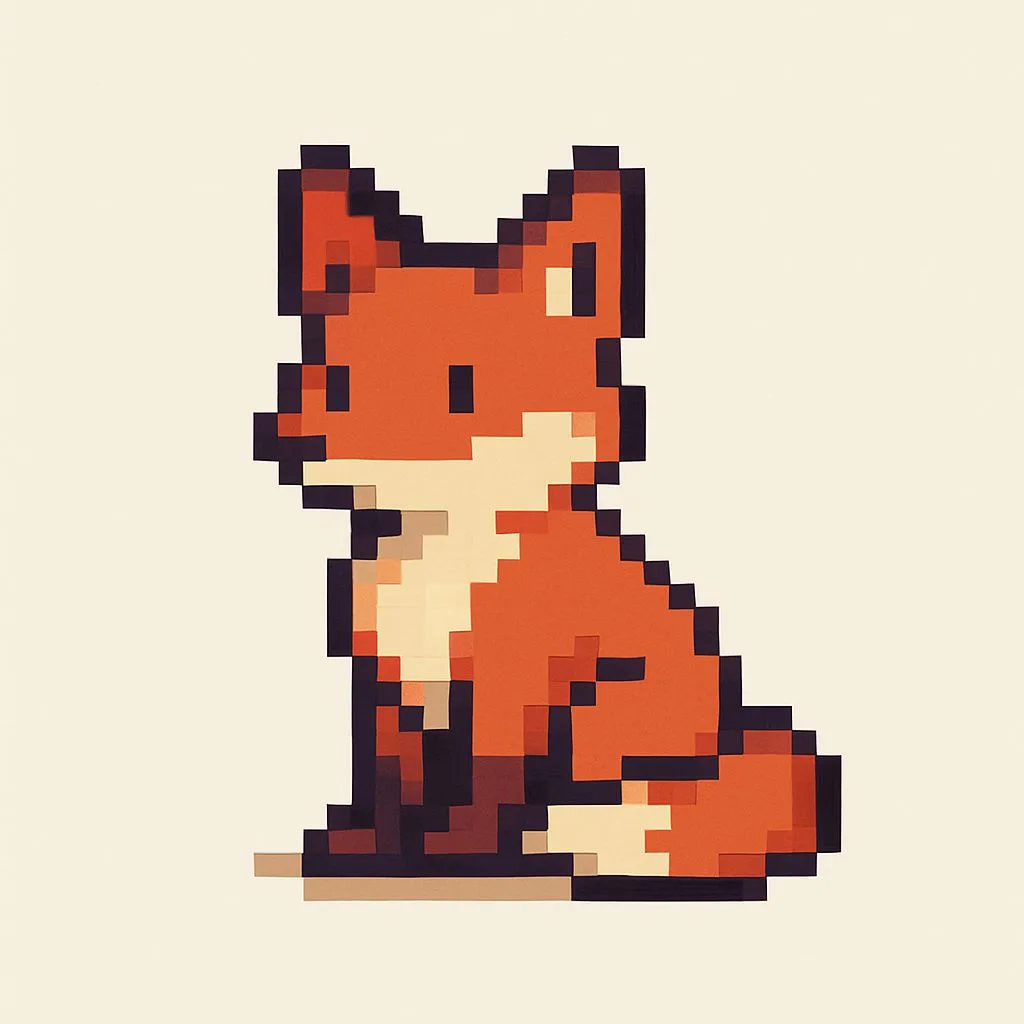
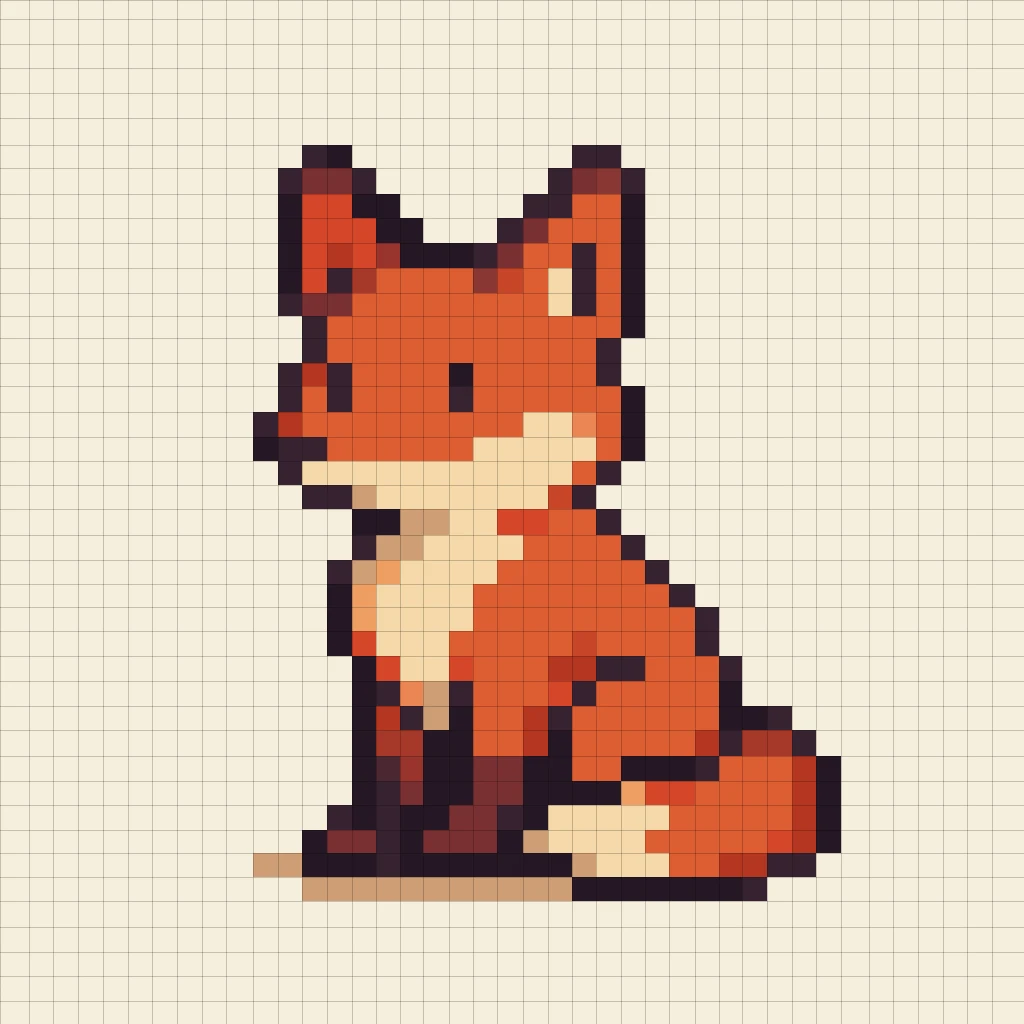
A pixel art mode built for sprites. It finds the real grid in upscaled and AI-generated art, keeps your colors, and opens Aseprite files. Then match every color to a real thread and print the chart.
Have an Aseprite file? Open the editor and choose "Aseprite pixel art". No download, no sign-up. Your image is converted on your device, never uploaded.
A photo converter will wreck your sprite
Pixel art is already a stitch chart: a grid of flat colors, one square at a time. Feed it to a tool built for photos and three things go wrong.
- The size is wrong. A 32 × 32 sprite saved at 256 × 256 becomes a 256 × 256 pattern: sixty-four times the stitches.
- The edges go soft. Dithering and blending add in-between shades your sprite never had, and scatter confetti across flat color.
- The palette explodes. Screenshots, JPEGs and AI-generated images carry hundreds of near-duplicate colors for what is really a 12 to 20 color sprite.
Stitchmate has a separate pixel art mode, so none of that happens.
It finds the real pixel grid, even when the art does not have one
Most pixel art you find is not a clean 1:1 file. Stitchmate works out where the pixels really are, rebuilds the sprite at its true size, and tells you what it found.
A clean 1:1 PNG
One pixel becomes one stitch. Nothing is resampled, dithered or sharpened, and your colors pass straight through. Small PNG and WebP files are treated as pixel art automatically.
Upscaled or a screenshot
Each pixel blown up to a 2×2, 8×8 or larger block? Stitchmate detects the block size, picks the largest that fits, and rebuilds the sprite. You see "1 stitch is 8 × 8 pixels of your image".
JPEG, WebP or AI-generated
Uneven pixels, soft edges and compression noise are handled too. The grid is fitted on each axis and every line snaps to the nearest real edge, so drift does not accumulate.
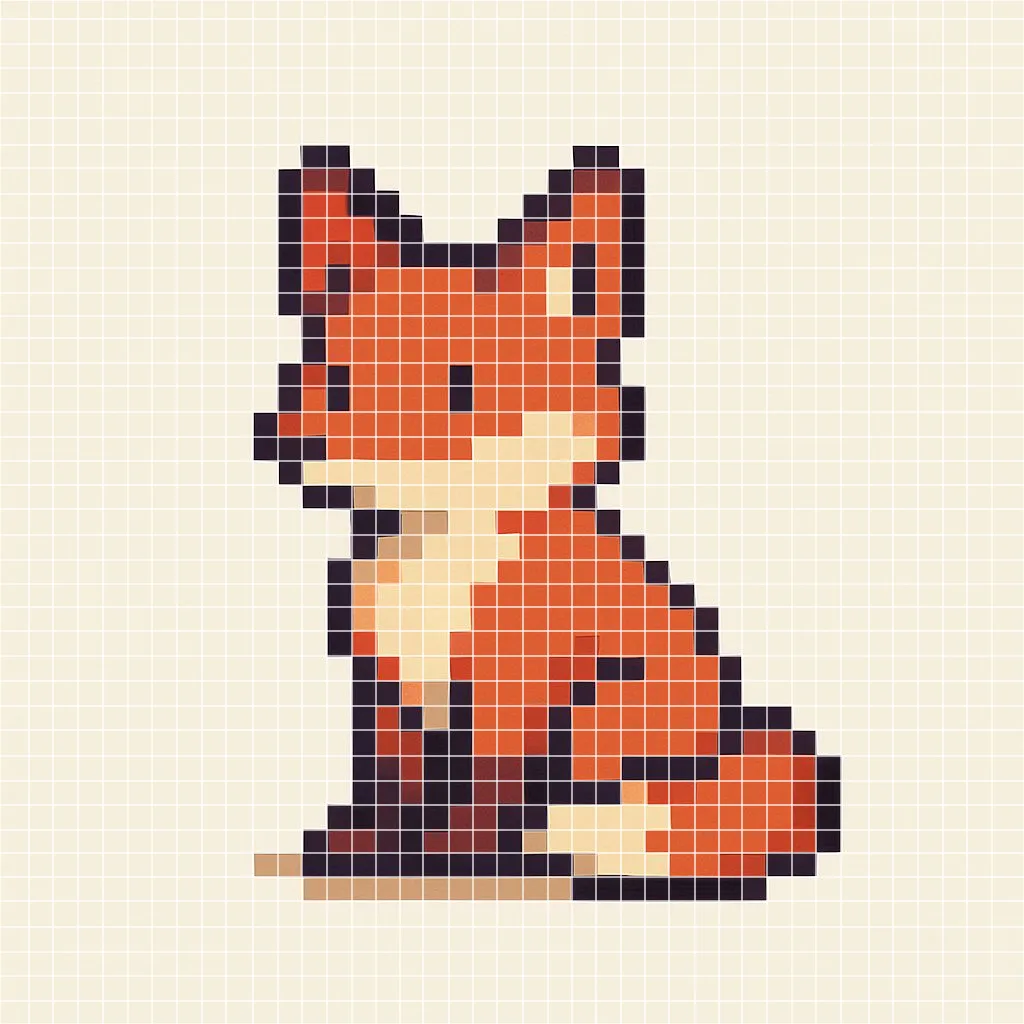
The grid it found, drawn on the source. The lines drift because the "pixels" do.
The result: 41 × 42 stitches in 16 colors.
- Source image
- 1024 × 1024 px
- Grid found
- about 24.6 px per stitch
- Pattern size
- 41 × 42 stitches
- Colors
- 241 → 16
A real run on a fox sprite made with an AI image tool and saved as a JPEG. A second test sprite, a knight's helmet, went from 142 colors to 14 on a 32 × 31 grid. Your result depends on your source.
“Color matching, yours is superior to anything ive used.”
Keep your exact colors, or match every one to a thread
Pixel artists choose their palettes carefully. You decide whether the chart honors them to the hex code or turns them into a shopping list.
Exact colors
Keeps every color exactly as drawn, named by its hex code. There are no thread numbers yet, so you can design the chart first and match threads later with Switch Floss Brand.
Works for up to 256 distinct colors. Past that, Stitchmate falls back to threads.
Threads (drills, beads)
Each color becomes its own closest thread, so you get a thread key and shopping list straight away. For diamond painting the option reads "Drills", and for fuse beads "Beads".
This is the default until you choose Exact once; Stitchmate then remembers.
Matched the way eyes see color
Matching uses CIEDE2000, a perceptual difference formula, not raw RGB distance. It is a better judge of the muted grays and browns that sprites lean on.
One color in, one thread out
Two close shades of your sprite do not collapse into one thread. A 12-color sprite becomes a 12-thread pattern, as long as the brand has at least 12 shades.
40+ brands to match against
DMC, Anchor, Cosmo, Madeira and more for cross stitch, plus Perler, Hama and Artkal bead palettes and diamond drill brands. You can limit the match to floss you own.
Noise merged, details kept
Near-copies of a color, the kind JPEG and image generators leave behind, are folded into the real one. Clean art is left alone, and genuinely different colors, like a one-pixel highlight, are kept.
Colors to keep
Want fewer thread changes? Drag the slider down. The colors you drop merge into the closest ones you keep.
Transparent means bare fabric
Transparent pixels get no stitch. A sprite drawn at low opacity is read as solid, so it never loads empty.
Open Aseprite files directly
Drew it in Aseprite? Skip the export step. Stitchmate reads .aseprite and .ase files and opens them straight into pixel art mode, with your palette intact.
What it reads
- ✓RGBA, indexed (palette) and grayscale sprites
- ✓Layer and cel opacity, applied as drawn
- ✓Hidden layers skipped, so scratch layers stay out of your chart
- ✓Several frames: a picker shows each one, and you choose which to stitch
What to know
- •You import one frame as a still, not an animation. Animated GIFs work the same way.
- •Animation tags and tilemaps are not read, and blend modes are treated as normal.
- •If a sprite ever looks off, export a PNG at 1× from Aseprite and import that. It always works.
In the editor, choose Aseprite pixel art on the start screen and pick your file.
How to turn pixel art into a cross stitch pattern
Four steps, about two minutes. The first look at your chart appears before you commit to anything.
- 1
Drop it in
PNG, JPEG, WebP, GIF or .aseprite
- 2
Confirm pixel art
Check the grid it found, or crop to your sprite
- 3
Size and colors
Original size, then exact colors or threads
- 4
Edit and export
Touch up stitches, print the PDF chart
Small sprites make quick, readable charts
Because one pixel is one stitch, the pattern is exactly the size of your sprite. That makes pixel art the friendliest first chart there is.
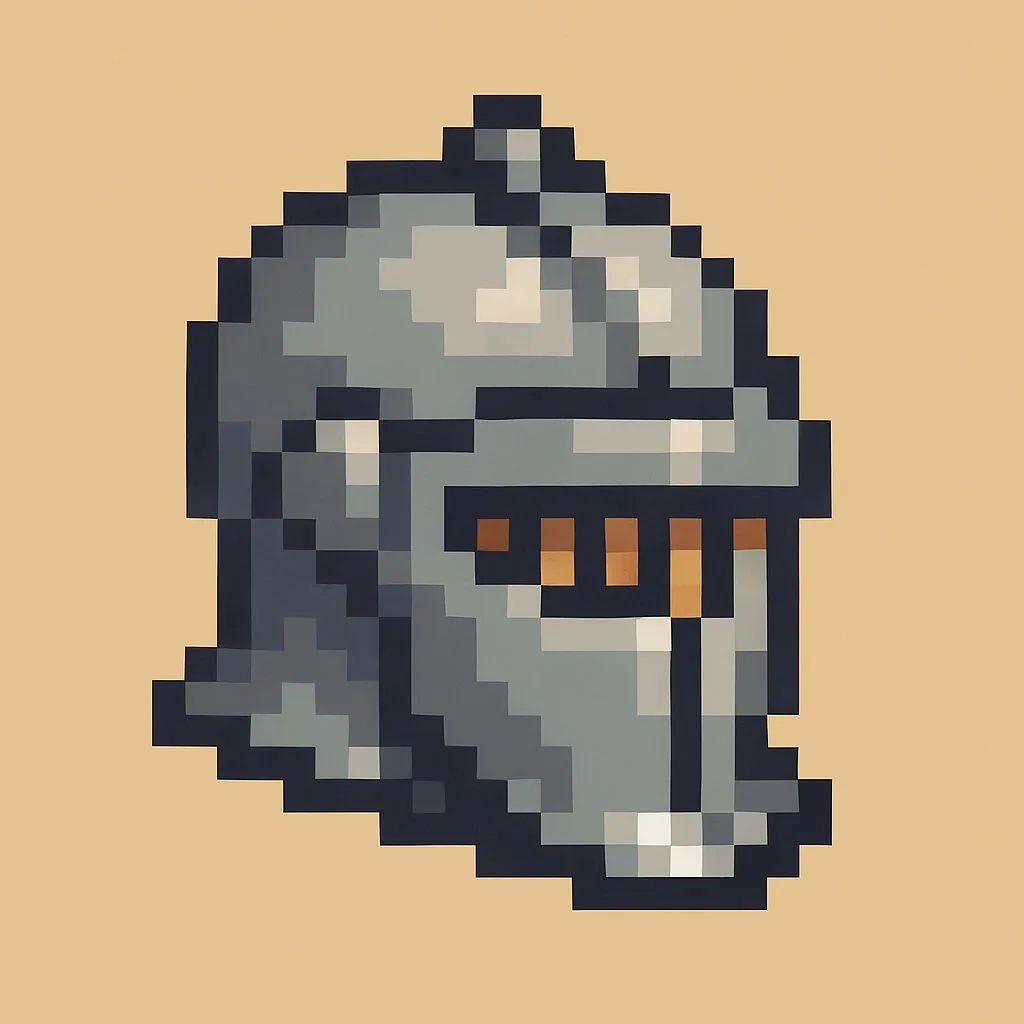
Source: 1024 px JPEG, 142 colors
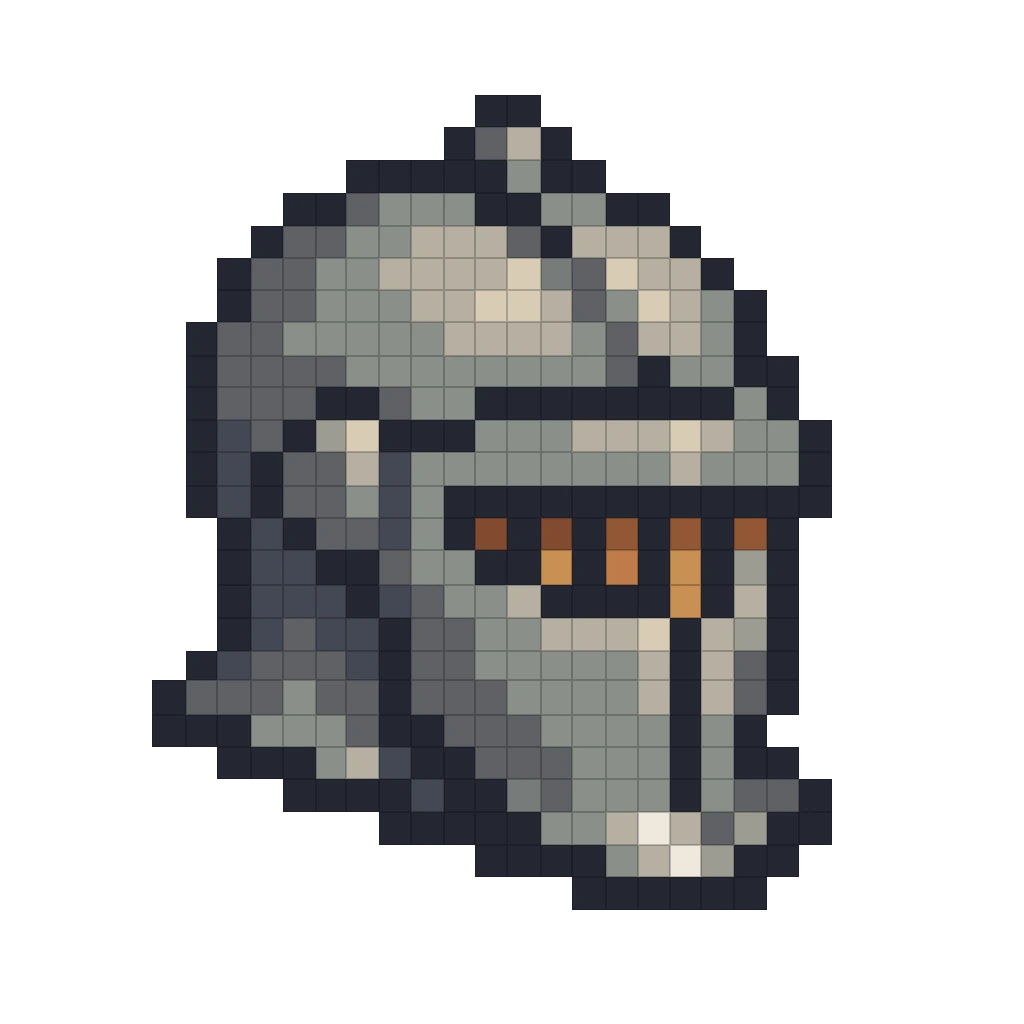
Pattern: 32 × 31 stitches, 14 colors, background erased. Empty cells stay bare fabric.
| Sprite | Finished size |
|---|---|
| 16 × 16 | about 1.1 × 1.1 in |
| 32 × 32 | about 2.3 × 2.3 in |
| 64 × 64 | about 4.6 × 4.6 in |
| 128 × 128 | about 9.1 × 9.1 in |
Use the fabric calculator for other counts, and the time calculator to plan the hours.
After the conversion, it is a full pattern
Your sprite is not a flattened picture. It is an editable chart with the whole Stitchmate toolset behind it.
Edit every stitch
Fix a stray pixel, recolor a shade, add a border or backstitch outline in the full editor.
Print a clear PDF chart
Symbols, a thread key with skein counts, and color or black-and-white pages. Pattern Keeper compatible.
Track your progress
Mark stitches as you go. The progress tracker is free on every pattern.
Check your stash
Record the skeins you own, see what the pattern still needs, and print a shopping list with the stash tracker.
Make it in beads
A 29 × 29 sprite fills one standard midi pegboard. Try fuse beads, or diamond painting.
Draw more from scratch
Need a border or a name to go with it? The pattern maker has fonts, symbols and drawing tools.
What to expect from your source
| Source | What Stitchmate does |
|---|---|
| Clean PNG at 1× | One pixel, one stitch. Colors pass straight through. |
| Upscaled sprite or screenshot | Finds the block size, rebuilds the true grid and reports it. |
| JPEG or WebP pixel art | Finds the grid despite compression ringing, then merges noise colors. PNG is still the cleanest source. |
| AI-generated pixel art | Fits an uneven grid and snaps it to real edges. Worth a glance at the preview, since generators are inconsistent. |
| Aseprite file | Opens straight into pixel art mode. Pick one frame if there are several. |
| Sprite sheet | Crop to the sprite you want in the import step. One chart per import. |
| Over 1,000 stitches a side | Offers "Crop to fit" or "Convert as a photo". Pixel art mode tops out at 1,000 × 1,000. |
Converting a painting, a logo or a photo of pixel art instead? Choose "Photo or illustration" and use the photo converter.
What it costs
- ✓Converting and editing are free: every tool, the pixel art mode, PNG export, and a full preview of the PDF, for up to 10 patterns at a time, with no account.
- ✓The printable PDF is $5.99 for one pattern, or $2 each in a 10-pack.
- ✓A Personal Pass is $14.99 for 30 days or $99 once, for life, both with unlimited PDFs. A Plus Pass adds a commercial license.
Frequently asked questions
Is there a dedicated pixel art mode?
Yes. When you import an image, Stitchmate asks "What are you converting?" and offers Pixel art as its own choice, next to "Photo or illustration" and "Printed chart". It usually suggests Pixel art on its own. In that mode every pixel becomes one stitch, nothing is dithered, and the photo controls (detail, color method, color transitions) are hidden because they would only blur your art. The image import handbook page walks through each setting.
How do I turn pixel art into a cross stitch pattern?
Drop your sprite into Stitchmate, confirm Pixel art is selected, keep Original size so each pixel becomes one stitch, and choose whether to keep your exact colors or match each one to a thread. Then edit the chart if you like and export a PDF with symbols and a thread key. PNG export is free. The pixel art guide covers sprites, fabric sizes and common mistakes in more depth.
My pixel art was upscaled or is a screenshot. Will the pattern come out huge?
No. Pixel art shared online is usually blown up, so a 32×32 sprite arrives as a 256×256 image. Stitchmate looks for the repeating pixel grid, rebuilds the sprite at its true size, and tells you what it found, for example "1 stitch is 8 × 8 pixels of your image". It checks block sizes from 2× up to 16× and picks the largest that fits, so a 10× image is not mistaken for a 2× one.
Does it work on AI-generated pixel art with an uneven grid?
Yes, within limits. Image generators often draw "pixels" that are not all the same size, so the grid drifts and the edges are soft. Stitchmate fits the grid separately for each axis, snaps every grid line to the strongest nearby edge so the drift does not pile up, then merges the near-duplicate colors that blur and JPEG noise leave behind. On the AI-made sprites we tested, a 1024 px image became a 41 × 42 chart and 241 colors became 16. Results depend on the source: an uneven-grid sprite needs at least about 8 pixels across to be recognized, and a soft illustration that only looks pixelated is treated as a photo instead.
Will my pixel art keep its exact colors?
If you choose Exact colors, yes: every color stays exactly as drawn and is named by its hex code. You can match threads later in the editor with Switch Floss Brand. The other option, Threads, gives each of your colors its own closest thread, so you get a shopping list straight away. Exact colors works for up to 256 distinct colors. Above that, Stitchmate falls back to threads. Note that Threads is the default until you pick Exact once; after that Stitchmate remembers your choice.
How accurate is the thread color matching?
Colors are matched with CIEDE2000, a perceptual color-difference formula that tracks how people actually see color rather than raw RGB distance. In Threads mode each color of your sprite is assigned its own thread, so a 12-color sprite becomes a 12-thread pattern as long as the brand has at least 12 shades to choose from. Pick DMC, Anchor, Cosmo, Madeira or any of 40+ floss brands, and Stitchmate matches against that brand.
Can I import Aseprite files?
Yes. Stitchmate opens .aseprite and .ase files directly, including RGBA, indexed and grayscale sprites, and straight into pixel art mode. Hidden layers are skipped and layer opacity is applied. If the file has several frames you pick one, and that frame becomes your chart. Animation tags and tilemaps are not read, and blend modes are treated as normal. If a sprite looks off, export it from Aseprite as a PNG at 1× and import that.
What about animated GIFs and sprite sheets?
An animated GIF asks which frame you want, and you convert that one as a still. For a sprite sheet, crop to the sprite you want in the import step, then convert. Stitchmate makes one chart per import.
How big can a pixel art pattern be, and how big will it stitch?
Pixel art mode takes up to 1,000 × 1,000 stitches, after the grid is detected. Anything bigger shows "Too big for pixel art" and offers to crop it or convert it as a photo instead. On 14-count Aida, a 32 × 32 sprite stitches to about 2.3 × 2.3 inches and a 64 × 64 sprite to about 4.6 × 4.6 inches. The fabric calculator shows the size for any count.
What happens to a transparent background?
Transparent pixels stay empty: no stitch, just bare fabric. Even a sprite drawn at low opacity is read as solid, so it does not load as a blank chart. If your sprite has a solid background you would rather not stitch, the erase-background tool works in pixel art mode too.
Can I make the same sprite in fuse beads or diamond painting?
Yes. Pick your craft when you set up the pattern, and the same sprite becomes a bead or drill chart. A 29 × 29 sprite fills one standard midi pegboard exactly. The color option is renamed to match, so you choose between "Exact colors" and "Drills" or "Beads". See photo to fuse beads and photo to diamond painting.
Can I sell cross stitch patterns made from pixel art?
Only from art you may sell. Charting your own sprites, or art whose license allows it, is fine. Characters and sprites from games, anime and other franchises belong to their owners, and a chart of them is a derivative work, so check the license or get permission first. Stitchmate does not make that call for you. A Plus Pass includes a commercial license for the software itself; see Stitchmate for sellers.
Is the pixel art converter free?
Converting, editing, tracking progress and PNG export are free, with no account. You pay only for the printable PDF with symbols and a thread key: $5.99 for one pattern, or less in a pack or with a pass. Your image is converted on your device and is not uploaded.
See your sprite as a stitch chart
Drop in a sprite and check the grid, the size and the colors before you pay for anything.
Free to use. PNG export included. Upgrade for PDF. No account needed.