Early Access

Cross-stitch software for Windows

A cross-stitch pattern maker program for Windows 10 and 11. Convert a photo or draw a chart from scratch, then print a real pattern PDF. Works with no internet, and your patterns are files on your own PC.

.exe installer · 64-bit
Download for Windows

Free to try. PDF export needs a lifetime pass.

Windows may warn that it "protected your PC" because the app is new. Click More info, then Run anyway.
★★★★★4.62/5from 465 stitchers“I love the PDFs it creates.” — Vermont Stitchy Co
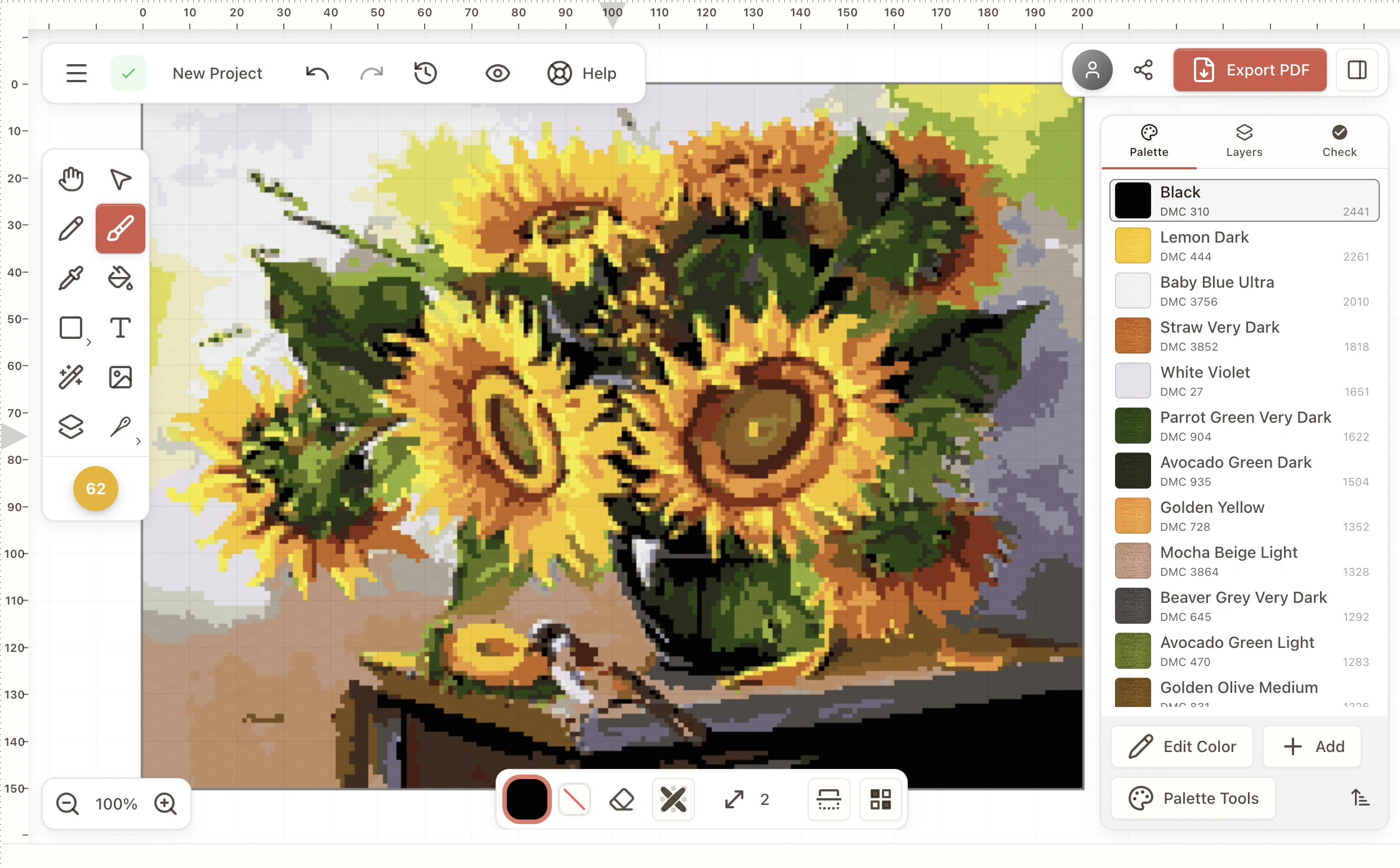
Cross-stitch pattern maker software running on Windows, charting a sunflower still life with its DMC thread palette listed alongside

What you can do with it

  • Turn a photo into a chart. Choose a thread brand and a stitch count and it converts the image, with control over the color budget.
  • Draw from scratch. Fractional stitches, backstitch, French knots, shapes, text and reusable motifs on a full grid editor.
  • Use real thread numbers. DMC, Anchor, Madeira, Cosmo and 50+ more, with brand conversions and a skein-count shopping list.
  • Print a proper pattern. Paged PDF with symbols, legend, stitch counts and page overlap, plus a Pattern Keeper–compatible export.

Installing on Windows

The download is a standard .exe installer for 64-bit Windows 10 and 11.

Expect a SmartScreen notice the first time

Windows will likely say "Windows protected your PC". That is because the installer is not code-signed yet, not because anything is wrong with it — SmartScreen flags any installer it has not seen many times before. Click More info, then Run anyway. We are working on a certificate, which is what removes the notice.

  • Windows: 10 or 11, 64-bit
  • Updates: the app updates itself when a new version ships

Also available for Mac, or use the web version with nothing to install.

Compared with the older Windows programs

Most cross-stitch software for Windows has been around a long time. If you are weighing them up, we keep honest side-by-side pages:

Questions

Which versions of Windows does it run on?

Windows 10 and Windows 11, 64-bit. The download is a standard .exe installer.

Why does Windows warn me when I run the installer?

Because the installer is not code-signed yet, SmartScreen shows a "Windows protected your PC" notice for anything it has not seen often. Click More info, then Run anyway. We are in the process of getting a certificate, which is what makes that notice go away.

Does it need an internet connection?

No. Designing, editing and PDF export all work offline. A connection is used only for updates and optional account sync.

Is this an alternative to PCStitch or WinStitch?

It covers the same job — designing counted cross-stitch charts on a PC and printing them — with photo conversion, 50+ thread brands and a modern editor. We keep side-by-side comparisons if you want the detail.

I wanted Stitchly, but it is Apple-only. Does this work on my PC?

Yes. Stitchmate runs on Windows, macOS and in the browser, and a lifetime pass covers all of them rather than one platform.

Download for Windows

Free to download. PDF export needs a lifetime pass — see pricing.